Odoo Reviews and User Ratings

Odoo Overview
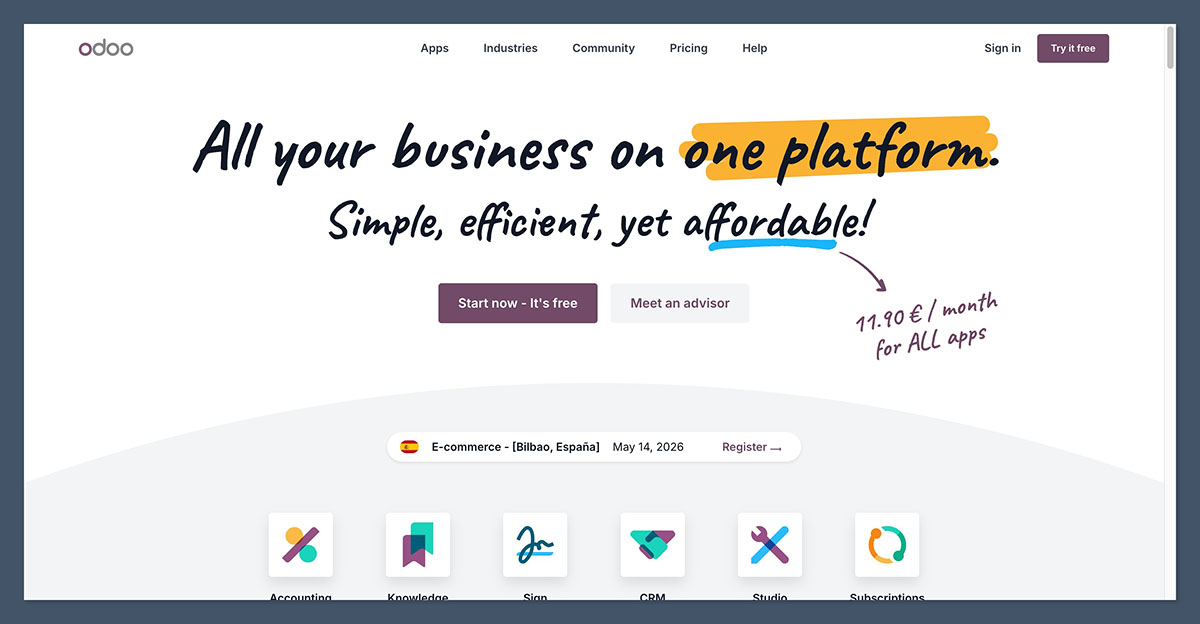
Our Verdict: Odoo remains one of the most flexible and capable ERP suites available in 2026, with an unmatched range of integrated apps and a competitive total cost of ownership compared to NetSuite or SAP.
But the per-user pricing climbs quickly, real implementations rarely match the “8-week ERP” marketing, and meaningful customization still requires a developer or partner. It is the right choice for SMBs and mid-market operators willing to invest in the rollout, and the wrong choice for teams looking for a set-and-forget SaaS.
Pros
- 80+ integrated apps sharing a single database
- Open-source Community edition available for free
- Strong fit for ecommerce, manufacturing, and distribution
- AI features deeply embedded in Odoo 19 and 19.x
- Roughly 30-50% lower 3-year TCO than NetSuite or SAP Business One
- Huge partner and community ecosystem
Cons
- Per-user pricing scales fast as teams grow
- Steep learning curve for non-technical users
- Deeper customizations typically need a developer
- Implementation timelines often exceed marketing claims
- Inconsistent support quality reported for edge cases
- Documentation can lag behind the latest version
Odoo is one of the most widely deployed business management suites globally, used by companies ranging from solo founders running a single app to mid-market manufacturers running 10+ integrated modules.
The platform has evolved significantly in 2026 with the Odoo 19 release line, which adds embedded AI assistance, faster UI performance, and deeper accounting localizations.
I tested Odoo across multiple modules and built sample workflows covering ecommerce, inventory, accounting, and CRM to evaluate how the platform holds up for a growing online store in 2026.
Read my full Odoo review to see why it remains one of the strongest contenders for any business that wants to consolidate dozens of point tools into a single integrated suite.
Odoo pricing and plans
Odoo’s pricing in 2026 is structured around users rather than modules, which I appreciate because you can activate any combination of apps without paying for each one separately. The trade-off is that every internal staff member who logs into the backend counts as a paying user, so costs scale with team size rather than feature usage.
Note that Odoo prices vary significantly by country because the company uses geolocation-based pricelists. The figures below reflect official US pricing on odoo.com. Pricing in Europe, India, and the Middle East is often substantially lower.
| Plan | $/user/mo (paid monthly) | $/user/mo (paid annually) |
|---|---|---|
| One App Free | $0 | $0 |
| Standard | $38.90 | $24.90 |
| Custom | $46.80 | $37.40 |
Pricing last verified: 14/05/2026. US pricelist. Promotional first-year discount applies to initial users.
Odoo plans: Explained
Odoo Community (free, open source)
- Best for technical teams self-hosting
- Starting at: Free
The Community edition is fully open source under LGPLv3 and includes core ERP modules covering CRM, sales, inventory, purchasing, basic accounting, project management, and the website builder.
However, it omits advanced accounting features, some manufacturing capabilities like kiosk work-orders, document management, automated marketing, and the official Studio no-code builder. You also need to self-host and maintain your own deployment, which means real infrastructure and developer costs even though the license itself is free.
Odoo One App Free
- Best for testing a single module
- Starting at: $0 with unlimited users
The One App Free plan gives you a single Odoo app with unlimited users on Odoo Online hosting. If your chosen app depends on others, such as ecommerce requiring Website and Invoicing, those dependencies are included for free as well.
I found this useful for trialling Odoo on a narrow use case like CRM or POS, but it falls short the moment you need a second unrelated app.
Odoo Standard
- Best for small to mid-size businesses
- Starting at: $24.90/user/mo (annual)
The Standard plan unlocks access to all Odoo apps on Odoo Online hosting, including CRM, Sales, Inventory, Accounting, HR, and the ecommerce module.
This is the sweet spot for most SMBs that want a full cloud-based ERP without managing servers. The plan includes daily backups, security, upgrades, and weekday email support. The catch is that Studio, multi-company management, on-premise hosting, and external API access are all locked behind the Custom tier.
Odoo Custom
- Best for multi-company and customization needs
- Starting at: $37.40/user/mo (annual)
The Custom plan adds Odoo Studio for no-code customization, multi-company support on a single database, external API access, and the option to deploy on Odoo.sh or on-premise.
I would only recommend this tier for businesses that genuinely need multi-entity workflows, custom modules, or integrations with legacy systems. For a single-company SMB on standard processes, the extra spend is hard to justify.
Getting started with Odoo: Reviewer’s experience
Step 1: Onboarding
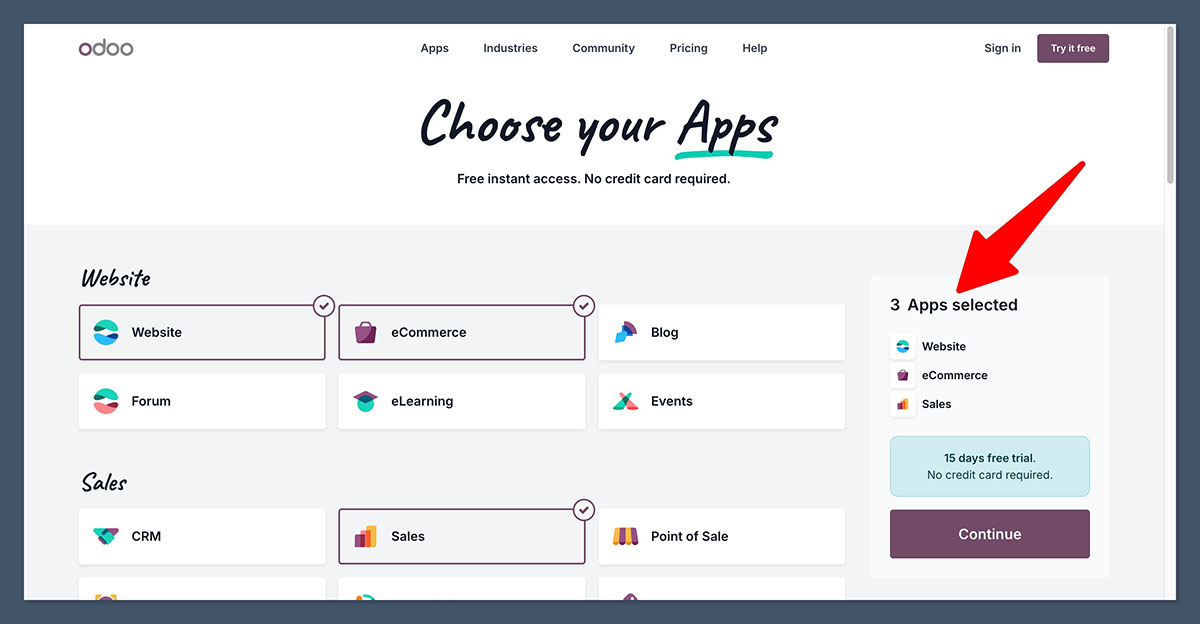
Creating my Odoo Online account took about three minutes. I entered my email, picked a subdomain, and selected the apps I wanted to start with.
The system spins up a dedicated instance and drops you directly into the dashboard for your first app.
Odoo asked about company size, industry, and primary use case upfront, which it used to pre-load relevant sample data and configuration. I appreciated that I could skip this step entirely if I wanted a blank slate.
Step 2: Application dashboard
The Odoo dashboard is organized around apps rather than features. The main apps menu shows everything installed, and clicking into any one of them gives you a self-contained workspace with its own navigation, lists, and reports.
This is a double-edged design. Power users will appreciate that each module behaves predictably and consistently. New users coming from simpler tools like Shopify or QuickBooks may find the volume of menus and submenus overwhelming on day one.
Step 3: Adding products and inventory
Setting up my first product took about four minutes. The product form covers variants, multiple images, internal and customer-facing descriptions, costs, taxes, routes, and inventory tracking. Bulk import via CSV or Excel is available, which is essential if you are migrating a real catalog.
What I liked is that the product is a single entity across the entire system. The same SKU shows up in sales, purchasing, inventory, manufacturing, and ecommerce without any duplicate setup. This is one of the strongest arguments for Odoo over a stack of separate tools.
Step 4: Website and ecommerce builder
Odoo’s website builder uses a block-based drag-and-drop editor. I built a basic storefront in about 20 minutes using the included themes and snippets.
Odoo 19 introduced redesigned product and cart templates with better mobile UX and conversion-focused defaults, plus automated SEO checks and microdata on product pages. There is also click-and-collect with live inventory and abandoned cart recovery built in.
Compared to a purpose-built ecommerce platform, the editor feels less polished and the theme ecosystem is far smaller. But the integration with the rest of the ERP is the real value: every product, customer, and order lives in the same database.
Step 5: AI and automation features
Odoo 19 leans heavily into AI. I tested the natural-language reporting feature in CRM, where I typed a request like “show me opportunities closing this month over $5,000” and Odoo generated a filtered view with the relevant pipeline data.
The AI assistant is also available across modules for drafting product descriptions, summarizing customer interactions, and suggesting automated actions. The output quality is solid for first drafts, though it needs review for anything customer-facing.
Odoo describes its current direction as evolving toward a “business operating system,” with integrated AI assistance, proactive BI, and expanded automation for repetitive tasks.
Odoo’s business tools
Odoo offers the following business tools:
- Full accounting with multi-currency and multi-company
- CRM and sales pipeline management
- Inventory and multi-warehouse management
- Manufacturing (MRP) with BOMs and shop-floor UI
- HR, payroll, and timesheets
- Point of Sale (POS) system
- Project management and helpdesk
- Document management and e-signature
Odoo’s operational toolkit is one of the broadest in the ERP market. I found that most teams can replace 5 to 10 separate SaaS subscriptions with the built-in modules, though the depth of each module varies.
Accounting
The accounting module covers the full general ledger, accounts receivable and payable, multi-currency, and multi-company. Localizations exist for 70+ countries, which is unusual for ERPs in this price range.
Odoo 19 added mobile-first bank reconciliation, support for PEPPOL and SEPA, and stronger automation rules. For Spanish customers in particular, the release added AEAT integration and VeriFactu compliance, which matters significantly for local tax requirements.
The trade-off is that advanced accounting features are gated behind the Enterprise editions. Community users have to bridge gaps with third-party modules or accept reduced functionality.
Inventory and purchasing
Inventory in Odoo handles multi-warehouse management, lots and serial number tracking, drop-shipping, reorder rules, and replenishment automation. I tested a three-warehouse setup with automated stock transfers and the system handled the routing without any custom code.
Integration with purchasing is tight: low stock triggers a purchase request, which converts to an RFQ, then a confirmed PO, then an inventory receipt. Each step posts the right accounting entries automatically.
Manufacturing (MRP)
For manufacturers, Odoo includes multi-level bills of materials, work orders, a shop-floor tablet UI, quality checkpoints, and full traceability from raw materials to finished goods.
This is one of the modules where Odoo genuinely competes with mid-market ERPs costing several times more. For small to mid-sized manufacturers, the MRP module alone often justifies the platform.
Point of Sale (POS)
Odoo POS runs on tablets and laptops and syncs with the same product catalog and inventory as your online store. I set up a test register on an iPad in about 15 minutes.
The POS handles offline mode, multiple registers, cash control, and loyalty programs natively. For retailers running both physical and online stores, the unified inventory and customer database is genuinely useful.
Ecommerce
The ecommerce module is a website-builder-based storefront tied directly to inventory, customers, and accounting. Odoo 19 added expanded integrations with Google Merchant Center and print-on-demand services.
The realistic positioning here is that Odoo ecommerce is a module within an ERP, not a purpose-built commerce platform. It works well for B2B catalogs, retailers wanting unified backend operations, and any business already running Odoo for accounting or inventory. For storefront-first ecommerce operators, Shopify or BigCommerce still offer a more polished frontend experience.
HR and payroll
The HR module covers employee records, time-off, payroll for multiple jurisdictions, and timesheets. Payroll localizations vary in depth by country, with strong support in Europe and parts of North America and weaker coverage in some emerging markets.
Project and helpdesk
Project management covers tasks, timesheets, milestones, and Kanban boards. Helpdesk adds customer ticketing with SLAs. Both modules tie back to CRM and invoicing, so a billable hour logged on a project can be invoiced without leaving the system.
Odoo’s marketing and analytics tools
Odoo offers the following marketing and analytics tools:
- Email marketing campaigns
- Marketing automation workflows
- SMS marketing (paid in-app credits)
- Social media management
- SEO optimization on website and ecommerce
- Discount and coupon management
- Built-in BI and analytics dashboards
Odoo’s marketing features cover the basics and feed back into the same customer database that drives sales and support. The depth is adequate for SMBs, though serious marketing teams will often supplement with specialized tools.
Email marketing and automation
Odoo Email Marketing offers a drag-and-drop email builder with segmentation based on any field in your customer database. I built a basic campaign in about 15 minutes.
The marketing automation module adds visual workflow builders for drip campaigns, lead nurturing, and behavioral triggers. The interface is functional rather than beautiful, and it lags behind dedicated tools like HubSpot or ActiveCampaign on template quality and deliverability features.
SEO and ecommerce optimization
Odoo 19 added automated SEO checks on product and category pages, microdata for structured data, and improved page-speed defaults. I appreciated that the system flags missing meta descriptions and weak titles directly in the editor.
That said, anyone doing serious SEO work will still want external tools. Odoo’s built-in features cover the basics but do not replace dedicated platforms for technical audits, backlink analysis, or content optimization.
Analytics and BI
Each Odoo module includes its own dashboards and reports, with pivot tables, graphs, and filters that drill down into the underlying data. Odoo 19 added more proactive BI features, surfacing trends and anomalies without requiring you to build the report yourself.
For deeper analytics, the Custom plan’s external API access lets you pipe data into BI tools like Metabase, Power BI, or Looker. This is where most growing teams end up.
Implementation timelines and real-world costs
One area where Odoo’s marketing diverges from reality is implementation timing. Industry partners report consistent timelines based on real deployments:
| Deployment size | Typical timeline | Scope |
|---|---|---|
| Small business (5-25 users) | 6-10 weeks | 4-6 modules, single company, minimal customization |
| Mid-market (25-100 users) | 12-18 weeks | 6-10 modules, 1-2 integrations, often distribution or manufacturing |
| Larger enterprise (100+ users) | 6-12 months | Phased rollouts across multiple companies, countries, and systems |
The headline per-user license fee is also only a fraction of total cost. For a 25-user mid-market deployment in North America, a realistic 3-year total cost of ownership breaks down roughly as follows:
| Cost component | 3-year estimate (USD) |
|---|---|
| Licenses | $20,000 – $30,000 |
| Implementation | $25,000 – $60,000 |
| Hosting (Odoo.sh) | $11,000 – $29,000 |
| Support and hypercare | $54,000 – $180,000 |
| Additional customizations | $5,000 – $50,000 |
| Total 3-year TCO | $115,000 – $300,000 |
Reviewer’s note: Comparable NetSuite deployments typically run $300,000 to $700,000 over three years, and SAP Business One $250,000 to $500,000. Odoo’s TCO advantage is real, but only when you account for the full implementation lift rather than just the per-user license.
Reviewer’s experience: Odoo support
Odoo offers email support included in all paid plans, with weekday coverage in English, French, Spanish, and Dutch. There is no 24/7 phone support equivalent to what Shopify or BigCommerce provide.
I submitted a few test queries during my review. Response times for basic questions were typically 1 to 2 business days, with helpful answers for standard configuration topics. A more complex question about a custom workflow was redirected to “consult an Odoo partner,” which is the common pattern reported by users.
The official support is supplemented by a large partner ecosystem and an active community. For most non-trivial implementations, partner support is not optional. Reddit and community forums regularly note that support quality varies significantly outside standard scenarios and that documentation can lag behind the latest versions.
The flip side is that the Odoo partner network is one of the largest in the ERP space, so finding implementation help in most regions is straightforward.
Test results: Odoo
| Attribute | Notes | Rating |
|---|---|---|
| Value for money | Per-user license is reasonable, but real TCO depends heavily on implementation and partner costs. Still cheaper than NetSuite or SAP for comparable scope. | ★★★★☆ |
| Ease of use | Powerful but dense. Comfortable for users with ERP experience; steep curve for newcomers. | ★★★☆☆ |
| Design and customization | Studio enables substantial no-code work. Deeper logic requires a developer. | ★★★★☆ |
| Business tools | One of the broadest suites available, with strong manufacturing, inventory, and accounting. | ★★★★★ |
| Marketing tools | Solid basics, but lacks the depth of dedicated marketing platforms. | ★★★☆☆ |
| Support | Email-based and weekday-only. Partner support is essentially required for serious deployments. | ★★★☆☆ |
Competitor comparison: Odoo
Below we show how Odoo compares to NetSuite and Shopify, two common alternatives depending on whether you are evaluating Odoo as an ERP or as an ecommerce-led platform:
| Platform | Best for | Free plan | Paid plans start at | Strength | Key trade-off |
|---|---|---|---|---|---|
| Odoo | SMB and mid-market ERP with broad operational scope | Yes (One App Free + Community) | $24.90/user/mo (US, annual) | Integrated 80+ app suite, low TCO vs NetSuite/SAP | Implementation rarely matches marketing timelines |
| NetSuite | Mid-market and enterprise with complex finance needs | No | Custom (typically $999+/mo base) | Deep financials, mature multi-entity reporting | 2-3x higher TCO than Odoo |
| Shopify | Ecommerce-first businesses | Trial only | $29/mo (annual) | Best-in-class storefront and checkout | Limited ERP-grade inventory, accounting, and manufacturing |
Who Odoo fits best
Strong fit
- SMBs and mid-market companies with 10 to 500 employees looking to consolidate point tools into a single integrated suite
- Manufacturers, distributors, and services firms with multi-warehouse, multi-company, or multi-currency needs
- Ecommerce operators who want ERP, inventory, and storefront on one platform rather than separate stacks
- Teams with internal IT or a committed Odoo partner
- Organizations comfortable with open source and some custom development
Weaker fit
- Very small businesses under 5 employees with simple needs (QuickBooks or Xero are usually cheaper and easier)
- Heavily regulated manufacturers (pharma, defense) needing certified compliance templates and hosting
- Teams expecting a set-and-forget SaaS with no partner involvement
- Storefront-first ecommerce operators where polished frontend matters more than backend integration
How we tested Odoo
I spun up multiple Odoo Online instances to evaluate the platform across different scenarios. My hands-on testing covered onboarding, application setup, inventory and order flows, the website and ecommerce builder, the AI features new in Odoo 19, and the support experience.
I assessed how Odoo performs for different user types, from solo founders running a single app on the free plan to mid-market operators running 8 to 10 integrated modules. I cross-referenced my findings with partner implementation data, community feedback, and the official Odoo release notes for the 19.x cycle.
Odoo review: FAQs
Is Odoo good for beginners?
Yes, but with caveats. Odoo’s interface is logically organized, and the One App Free plan is genuinely beginner-friendly for a single use case. However, the full ERP experience involves a steep learning curve, especially when you start combining modules. Most non-technical founders end up working with an Odoo partner for anything beyond a basic setup.
How much does Odoo really cost?
The Standard plan starts at $24.90 per user per month in the US when paid annually, and the Custom plan starts at $37.40. But the realistic 3-year total cost of ownership for a 25-user mid-market deployment typically runs $115,000 to $300,000 once you include implementation, hosting, customizations, and support. Budget several times the headline license cost for any serious deployment.
Can I sell online with Odoo?
Yes. Odoo includes a full ecommerce module with website builder, product catalog, checkout, abandoned cart recovery, and click-and-collect. Odoo 19 added improved SEO checks, redesigned product and cart templates, and expanded integrations with Google Merchant Center and print-on-demand providers. It works best when ecommerce is part of a broader ERP-led setup rather than your sole focus.
Does Odoo charge per module?
No. Odoo charges per user, and every paid plan unlocks access to all apps. This is one of the platform’s biggest pricing advantages over competitors that license each module separately. The catch is that internal staff with backend access all count as paying users, so costs scale with team size.
What are Odoo’s biggest limitations?
The most consistent complaints are the steep learning curve for non-technical users, the need for developer or partner involvement for meaningful customization, per-user pricing that scales quickly as teams grow, inconsistent support quality for edge cases, and documentation that occasionally lags behind the latest version.
Is Odoo Community really free?
The license is genuinely free under LGPLv3, but you still need to budget for hosting, implementation, and any developer support. Community also lacks several apps that ship with Enterprise, including Studio, advanced accounting features, and document management. Many businesses start on Community and migrate to Enterprise as their needs grow.
Is Odoo good for ecommerce compared to Shopify?
It depends on your priority. Shopify is purpose-built for ecommerce with a more polished storefront, larger theme and app ecosystem, and faster setup. Odoo wins when you need ecommerce tightly integrated with full ERP capabilities like manufacturing, multi-warehouse inventory, and full-suite accounting. For most pure-play online stores under $5M revenue, Shopify remains the easier choice. For operators with complex backend needs, Odoo’s integrated approach can save substantial cost over running both Shopify and a separate ERP.