Strikingly Review: Is This Mobile-First Builder Worth It?

Strikingly Overview
Strikingly is a lightweight, mobile-first website builder that excels at one-page sites, simple stores, and quick-launch landing pages, making it a great pick for solopreneurs and small businesses that need to get online fast.
Our research team has spent hundreds of hours testing website builders, so I can tell you exactly where Strikingly stands in the wider market.
In this review, I’ll take a closer look at Strikingly’s pricing, features, ecommerce tools, and templates, so you can see whether it’s the right builder for your project.
Why you can trust this review
We’ve conducted hours of hands-on research and testing across the top website builders to bring you accurate, fair reviews. Our process ensures recommendations stay independent and backed by data, so you have everything you need to find the right builder for your business.
Strikingly Pros & Cons
Best for one-page websites and simple stores: 4.3 out of 5
| Best for | Landing pages, portfolios, small catalogs |
|---|---|
| Free plan | Yes (forever free) |
| Paid plans | $12 – $59 / month |
| Free trial | 14 days on paid plans |
Pros
- Extremely fast setup and shallow learning curve
- Mobile-first templates that look polished out of the box
- Built-in store, memberships, forms, and newsletters
Cons
- Limited design flexibility compared to drag-anywhere builders
- SEO toolkit is basic relative to Wix or Squarespace
- Ecommerce capped in complexity for larger catalogs
Need a quick summary of Strikingly? Here are the builder’s best and worst features at a glance:
What I Like
- ✔️ Strikingly is genuinely fast to launch, with a section-based editor that gets a clean site online in under an hour
- ✔️ Mobile-first templates are responsive by default and look modern without much tweaking
- ✔️ The forever-free plan is generous enough to host a real landing page, not just a test site
- ✔️ Built-in tools for ecommerce, memberships, newsletters, and forms reduce reliance on third-party apps
- ✔️ 24/7 live chat support from the “Happiness Officers” team is responsive, even on free accounts
What I Dislike
- ❌ The editor is “guided” rather than free-form, which limits creative control over layouts
- ❌ SEO features are basic compared to what Wix, Squarespace, or Shopify offer
- ❌ Ecommerce works for small catalogs but lacks advanced inventory, automation, and multi-channel features
- ❌ The app and integration ecosystem is thinner than major competitors, so you’ll hit feature ceilings faster
My Experience With Strikingly
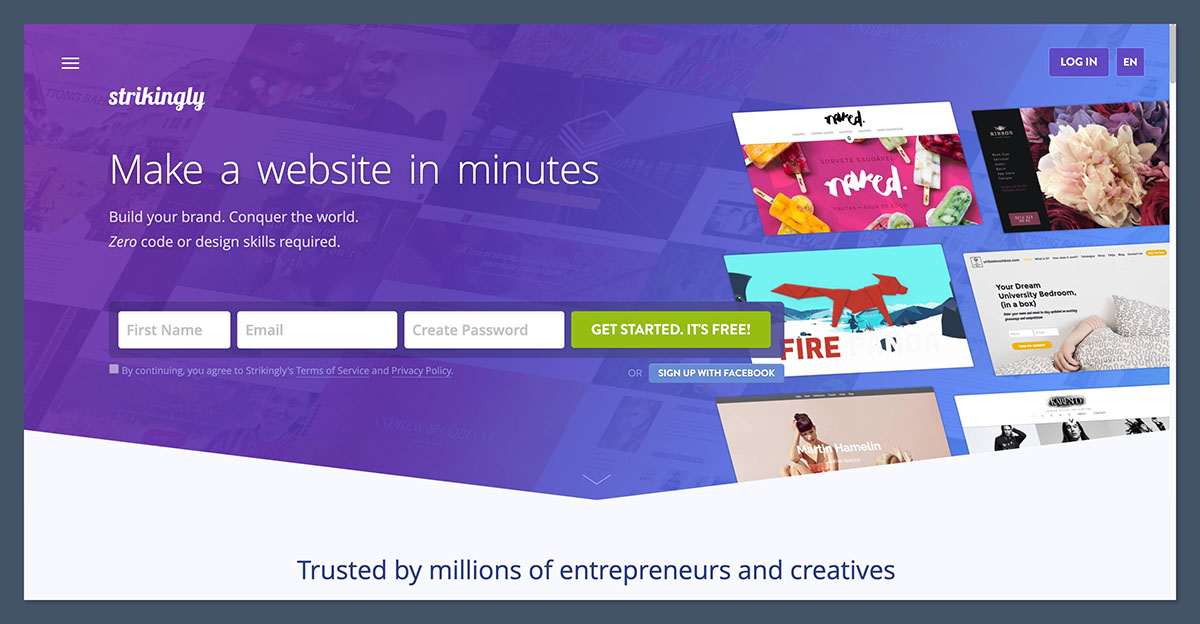
Signing up to Strikingly took less than a minute. There’s no credit card required to start a free site, just an email address. The onboarding flow is refreshingly short, asking a handful of questions about your site’s purpose before dropping you straight into the editor.
Within the first 10 minutes, I had a working one-page site published on a Strikingly subdomain. That’s the platform’s core promise, and it delivers. Where Shopify pushes you to add products first and Wix pushes you through an AI builder, Strikingly trusts you to pick a template and start editing.
Author’s Testing Notes
I appreciated how little friction there was at sign-up, but I noticed Strikingly doesn’t really personalize the experience based on your answers. Compared to Wix’s AI chatbot or Squarespace Blueprint, the onboarding feels more like a formality than a guided setup. If you want a builder that helps you make design decisions early, Strikingly isn’t it. If you want one that gets out of your way, this is a strength.
How I Added Pages and Sections
Strikingly’s editor is built around “sections” rather than free-form blocks. Each section is a pre-designed module, such as a hero, gallery, contact form, or product grid, that you drop into the page and stack vertically. It’s a deliberate design choice that prioritizes consistency over flexibility.
I had no trouble adding new sections or rearranging the order. Editing content happens in a sidebar on the left of the screen, similar to Shopify’s approach. You click a section, change the text or image, and the preview updates instantly.
The catch is that there’s typically one layout per section type. You can swap colors, fonts, and imagery, but you can’t drag elements around within a section the way you can in Wix. For a one-page site, this is genuinely fine. For anything more ambitious, it becomes a ceiling.
Customizing My Store
Strikingly’s “Simple Store” feature is exactly what the name suggests. I could add products, set variants, configure shipping, and connect Stripe or PayPal in about 20 minutes. The store sits as a section on your existing page, or you can give it a dedicated page on paid plans.
The product editor is straightforward: title, description, images, price, variants, and inventory. There’s no AI-assisted product description tool here, which is a gap compared to Shopify Magic or Wix’s AI features. You’ll write your copy manually.
Author’s Testing Notes
The Simple Store is a great fit for a creator selling 10 to 50 SKUs, a service business with a small product line, or anyone wanting a quick storefront alongside a portfolio site. It’s not built for scaling to hundreds of products with complex variants and inventory tracking. If that’s where you’re headed, you’ll outgrow Strikingly within a year.
How Much Does Strikingly Cost?
Strikingly’s pricing is split across a forever-free plan and three paid tiers, ranging from $12 to $59 per month when billed monthly. Longer commitments unlock significant discounts, with five-year plans bringing the VIP tier down to around $34 per month.
| Plan | Monthly Price | Best For |
|---|---|---|
| Free | $0 | Testing the builder and small personal projects |
| Limited | $12 / month | Personal sites with a custom domain |
| Pro | $20 / month | Small businesses and creators with up to 300 products |
| VIP | $59 / month | Growing stores needing unlimited products and priority support |
You can also start with a 14-day free trial on any paid plan, which gives you longer to explore the platform than Shopify’s three-day trial.
Is Strikingly Good Value for Money?
Strikingly is one of the more affordable website builders on the market, especially at the Limited and Pro tiers. The $20 per month Pro plan unlocks multi-page sites, custom domains, custom code, password protection, and a store with up to 300 products. That’s competitive against Wix and Squarespace at similar price points.
Where Strikingly’s value starts to wobble is at the VIP tier. At $59 per month, you’re paying close to Shopify’s Basic plan, but you’re getting a builder with a much narrower ecommerce feature set. If you genuinely need unlimited products and priority support, you’re probably better served by a dedicated ecommerce platform.
Author’s Testing Notes
For most users, the Pro plan at $20 per month is the sweet spot. It removes Strikingly branding, lets you connect a custom domain, supports up to 100 pages, and includes the store and membership features that make the platform interesting in the first place. Skip the Limited plan unless you’re building a single-page personal site and don’t need a store.
Designing With Strikingly
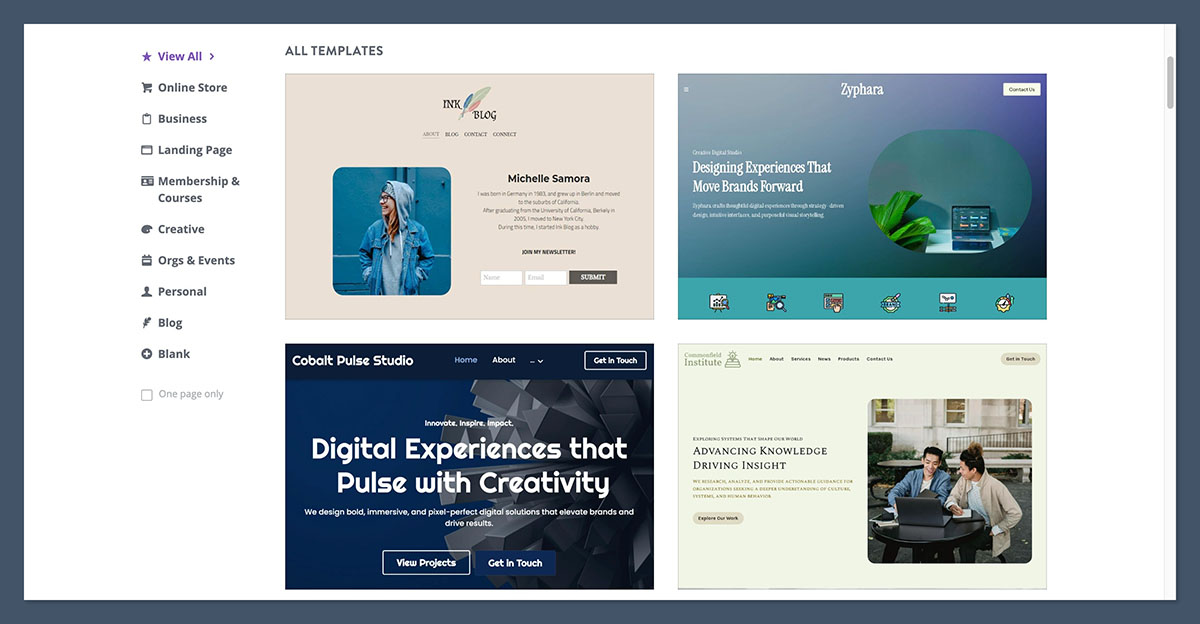
Strikingly’s template library is smaller than what you’d get with Wix’s 900+ designs, but the templates that are included are modern, minimal, and mobile-first by default. Every template I tested looked polished on phones and tablets without any additional tweaking.
Templates are organized into categories like portfolio, business, store, blog, and event. You can preview each design on desktop and mobile before committing, and switching templates after publishing is possible (though some content may need to be re-styled).
The design system itself is intentionally constrained. You’ll pick a primary color, a font pair, and a section style, and Strikingly applies those choices consistently across the site. This is great if you want a coherent look without thinking about it, and frustrating if you have a specific custom vision in mind.
What’s new with Strikingly? 💻
Strikingly’s Pro and VIP plans now support up to 100 pages per site, a significant jump from the platform’s historical focus on single-page builds. This makes Strikingly viable for small multi-page projects like service businesses or local shops that previously would have outgrown the builder.
Selling Online With Strikingly
Strikingly’s Simple Store covers the essentials of online selling without trying to compete with dedicated ecommerce platforms. For a small catalog, occasional digital downloads, or a creator selling memberships and merch, it works well. For anything more complex, you’ll feel the ceiling fairly quickly.
Product Management
Adding products to Strikingly is straightforward. Each product gets a title, description, images, price, variant options, and inventory tracking. The Pro plan caps you at 300 products, while VIP removes the limit entirely. There’s no native multi-warehouse inventory, no bundled product logic, and no advanced discount stacking, so you’re limited to the basics.
Payment Options
Strikingly integrates with Stripe and PayPal for online payments. Setup takes a few minutes once you connect your accounts. The Pro plan charges a 2% transaction fee on top of payment processor fees, while VIP removes that surcharge. There’s no native payment processor like Shopify Payments, so you’ll always be paying Stripe or PayPal’s standard rates.
Checkout Experience
The checkout is clean and mobile-optimized, but it isn’t deeply customizable. You can configure shipping zones, set up tax rates, and enable coupon codes, but there’s no advanced checkout customization, no abandoned cart recovery on lower tiers, and no native upsell or cross-sell logic. For a small store, this is enough. For a growth-focused store, it isn’t.
SEO Tools
Strikingly covers the SEO basics. You can edit page titles, meta descriptions, URL slugs, and image alt text. All sites get free SSL certificates and HTTPS by default. There’s also an SEO Checklist tool that walks you through completing essential on-page tasks.
That’s about where it ends. There’s no structured data management, no multi-language SEO support beyond basic translation, no advanced blog SEO features, and no integrations with tools like Semrush or Ahrefs the way Shopify offers. For a landing page or simple business site, this is fine. For content-driven growth, it’s underpowered.
Marketing Your Business
Strikingly includes a surprisingly useful set of marketing tools for its price point. The platform’s built-in marketing features include:
- Contact and signup forms that feed directly into the audience list
- Social feed sections that pull content from Facebook, Instagram, and Twitter/X
- Native newsletter sending to your subscriber base
- Live chat widget for real-time customer support (VIP plan)
- Membership areas and gated content for community building
- Coupon codes and basic discount management for the store
None of these features are best-in-class, but having them built in saves you from juggling four or five third-party tools.
Shipping Products
Shipping setup in Strikingly is functional but basic. You can configure shipping zones by country or region, set flat rates or weight-based rates, and offer free shipping above a threshold. There’s no real-time carrier rate calculation, no native label printing, and no integration with shipping software like ShipStation. If you’re handling more than a handful of orders per day, this becomes painful.
Strikingly’s App Ecosystem
Strikingly’s third-party app ecosystem is significantly thinner than Wix’s or Shopify’s. Most of what you need is baked into the platform, which is good news if you want simplicity. The bad news is that when you do need something Strikingly doesn’t offer natively, your options are limited.
On Pro and VIP plans, you can embed external tools through custom HTML sections or header/footer code injection. This is how most users add features like advanced booking widgets, live chat tools, or analytics platforms beyond the native integration. It works, but it’s a more manual experience than browsing an app marketplace.
Top Tip
If you know you’ll need extensive third-party integrations (CRM connections, advanced email automation, complex booking systems), Strikingly probably isn’t the right fit. Builders like Wix have hundreds of dedicated apps that integrate in a click. With Strikingly, you’ll be writing or pasting embed code.
How Does Strikingly Keep Your Site Secure?
Every Strikingly site comes with a free SSL certificate and HTTPS enabled by default, which is now standard across the industry. The platform handles hosting, backups, and security patches automatically, so you don’t need to manage server-level concerns. Strikingly also runs on a managed cloud infrastructure, meaning uptime and performance are handled on their end.
For ecommerce specifically, Strikingly relies on Stripe and PayPal’s PCI-compliant payment processing, so card data never touches Strikingly’s servers directly. This is the same model most lightweight builders use, and it’s a sensible approach for small stores.
Using Strikingly’s Customer Support
Strikingly is widely praised for its customer support, and my testing matched that reputation. The “Happiness Officers” team is responsive on live chat, even for free accounts. Here are the support channels available:
- 24/7 live chat support, accessible from the question mark icon in the editor
- Email support with detailed responses (typically within a few hours)
- Comprehensive knowledge base with step-by-step guides
- Phone support, but only for VIP plan subscribers
- Community forum and social media channels for peer-to-peer help
The main gap is that phone support is gated behind the VIP plan, while Wix offers phone help on lower tiers. For most users, live chat is fast enough that this isn’t a real issue.
How Does Strikingly Compare to Competitors?
Strikingly occupies a specific niche in the website builder market: it’s the fastest way to launch a simple, mobile-friendly site, but it isn’t trying to compete with feature-heavy platforms. Here’s how it stacks up against the main alternatives:
| Platform | Best For | Starting Price | Key Difference |
|---|---|---|---|
| Strikingly | One-page sites and simple stores | $12 / month | Fastest setup, most constrained design system |
| Wix | Small business sites with diverse needs | $17 / month | 900+ templates, large app market, more design freedom |
| Squarespace | Portfolios and stylish brand sites | $16 / month | Most beginner-friendly editor, premium design quality |
| Shopify | Serious ecommerce stores | $29 / month | Best sales features, built for scaling product catalogs |
If you’re not sure Strikingly is the right fit, here’s where I’d point you instead:
- Wix is a better fit if you want design flexibility, hundreds of templates, and a large app marketplace for adding features as you grow
- Squarespace is the easier choice if you prioritize stylish, editorial-quality design and want a true drag-and-drop editor
- Shopify is the right pick if your primary focus is ecommerce and you expect to scale beyond a few dozen products with multi-channel selling
How We Test Website Builders
To bring you fair, accurate reviews, we regularly test website builders through a structured research process. Our testing covers seven weighted areas that reflect what matters most for the people choosing these platforms:
| Testing Area | Weighting | What We Evaluate |
|---|---|---|
| Sales Features | 25% | Ecommerce capabilities, payment options, and store management |
| Website Functionality | 15% | Quality and depth of features beyond the basics |
| Help and Support | 15% | Availability and quality of support channels |
| Design Features | 15% | Template quality, customization, and design flexibility |
| Ease of Use | 15% | How quickly a non-technical user can build and publish a site |
| Pricing | 10% | Plan value relative to features included |
| Reputation | 5% | How the builder performs against competitors in user reviews |
Strikingly Review: Should You Build Your Site With Strikingly?
Strikingly is the right choice if you need a simple, mobile-first site online quickly and don’t want to fight with a complex editor. It’s particularly well-suited for personal landing pages, portfolios, small service businesses, event pages, and creators selling a small catalog or memberships.
It’s not the right choice if you have ambitious design plans, expect to scale beyond a few hundred products, need advanced SEO and content marketing capabilities, or rely on a large ecosystem of third-party integrations. In those cases, you’ll outgrow Strikingly within months and end up migrating anyway.
The forever-free plan makes Strikingly genuinely worth trying. Build a site, publish it on a Strikingly subdomain, and see if the editor and template style suit your project before paying anything. If they do, the Pro plan at $20 per month is excellent value. If they don’t, you’ve lost nothing but an hour.
Strikingly FAQs
Is Strikingly really free?
Yes, Strikingly offers a forever-free plan with no time limit and no credit card required. You can build and publish a site on a Strikingly subdomain (yourname.strikingly.com) with basic features. To connect a custom domain, remove Strikingly branding, and unlock advanced features, you’ll need to upgrade to a paid plan starting at $12 per month.
Can I sell products with Strikingly?
Yes, Strikingly includes a built-in Simple Store on its Pro and VIP plans. The Pro plan supports up to 300 products and the VIP plan supports unlimited products. The store handles physical and digital goods, accepts payments through Stripe and PayPal, and includes coupon codes and basic shipping configuration. It’s a good fit for small catalogs but lacks the advanced inventory and automation features of platforms like Shopify.
Is Strikingly good for SEO?
Strikingly covers the SEO basics. You can edit page titles, meta descriptions, URL slugs, and image alt text, and the platform includes an SEO checklist tool. However, its SEO toolkit is noticeably thinner than Wix or Squarespace, with no structured data management and limited blog SEO features. For simple sites, it’s adequate. For content-driven growth, look elsewhere.
How does Strikingly compare to Wix?
Strikingly is faster to set up and easier to learn, but Wix offers significantly more design flexibility, a much larger template library, and a deeper app marketplace. Wix is the better choice for small businesses that want room to grow. Strikingly is the better choice for users who want a simple, mobile-first site online in under an hour.
Can I switch templates after publishing my Strikingly site?
Yes, you can switch templates at any time from your Strikingly dashboard. Most content carries over automatically, but some styling adjustments may be needed to match the new template’s design system. It’s a relatively painless process compared to migrating between full website builders.
Does Strikingly include hosting?
Yes, all Strikingly plans include managed cloud hosting at no additional cost. The free plan includes 5GB of monthly bandwidth and 500MB of storage per site. Paid plans increase those limits significantly, with the Pro plan offering unlimited bandwidth and 20GB of storage.
What’s the difference between Strikingly’s Pro and VIP plans?
The Pro plan at $20 per month is the sweet spot for most users, supporting up to 100 pages, 300 products, custom code, and three Pro sites. The VIP plan at $59 per month adds unlimited products, multiple membership tiers, a live chat widget, phone support, and zero transaction fees. Most users won’t need VIP unless they’re running a larger store or membership business.