Zen Cart Reviews and User Ratings

Zen Cart Overview
Zen Cart is one of the longest-running open-source ecommerce platforms on the market, offering full code ownership, deep customization, and no licensing fees, but it asks a lot from merchants in return.
Our in-house research team has rigorously tested dozens of ecommerce platforms, and I can tell you upfront that Zen Cart is not for everyone. In this review, I’ll take a closer look at Zen Cart’s pricing, features, customization options, and learning curve, so you can see exactly where it fits in 2026, and whether it’s the right choice for your business.
Why you can trust this review
We’ve conducted hundreds of hours of research and hands-on testing to bring you accurate, fair reviews of ecommerce platforms.
Our testing process ensures our recommendations remain independent and backed by data, providing you with the information you need to find the right builder for your store.
This review reflects the current Zen Cart 2.2.x release branch as of 2026, including the recent 2.2.1 stable release.
Zen Cart Pros & Cons
| Zen Cart | Best for self-hosted stores with developer support |
|---|---|
| Rating | 3.2 out of 5 — Average |
| Best for | Developer-led stores, long-running merchants, technical SMBs |
| Pricing | Free to download and use (hosting and domain costs apply separately) |
| Pros | * No license fees, full code ownership * Deep customization for PHP developers * Multi-currency and multi-language support * Active maintenance with regular security patches |
| Cons | * Steep learning curve and dated admin UI * No managed hosting or first-party support * Smaller ecosystem than WooCommerce or Shopify * Theme options lag behind modern competitors |
Need a quick summary of Zen Cart? Here are its best and worst features:
What I Like
- ✔️ It’s genuinely free and self-hosted, giving you full ownership of your store’s code, data, and infrastructure with no monthly platform fees
- ✔️ The platform is mature and stable, with a track record going back to 2003 and ongoing development through the 2.x branch
- ✔️ Deep customization is possible for teams with PHP skills, with full access to templates, modules, and core behavior under the GPL license
- ✔️ Core features are surprisingly broad, including discounts, coupons, gift certificates, tax rules, multi-currency, and multi-language support out of the box
What I Dislike
- ❌ The admin interface feels dated and is non-intuitive, requiring you to navigate back and forth to complete simple tasks
- ❌ There’s no official managed hosting, paid support tier, or dedicated vendor help, so you’re on your own for infrastructure and updates
- ❌ Theme options are limited and visually behind modern SaaS platforms, with a community-driven marketplace rather than a polished theme store
- ❌ The learning curve is steep for non-technical merchants, and you’ll likely need a developer to get anything beyond a stock install working well
My Experience With Zen Cart
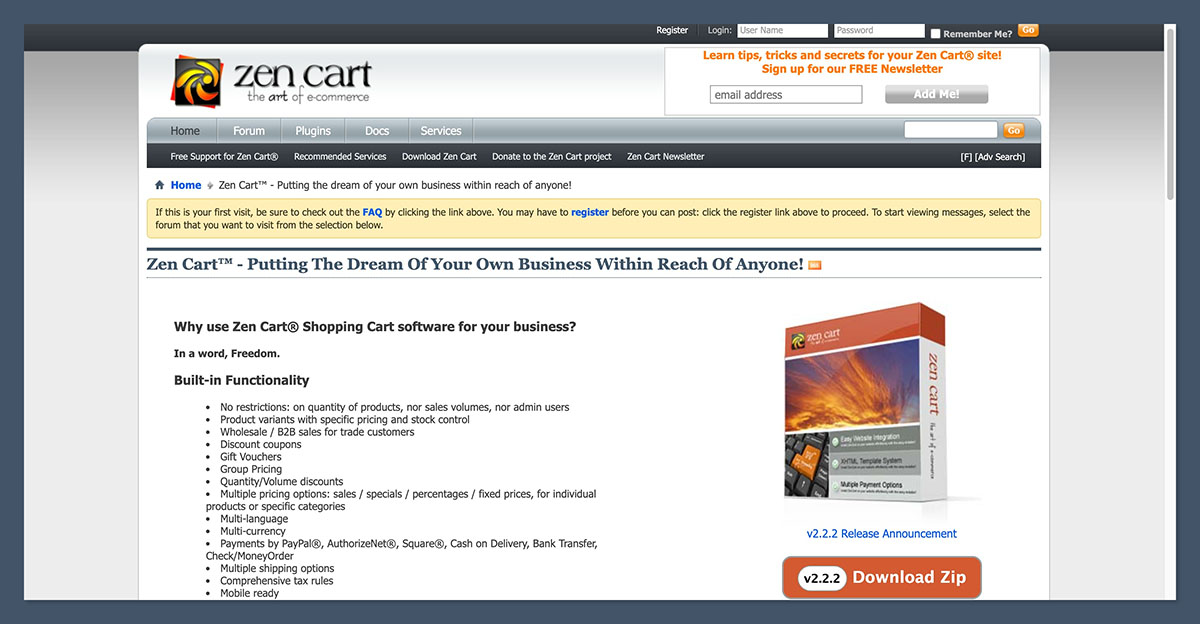
Unlike SaaS platforms, you don’t sign up for Zen Cart by entering an email address.
Instead, I had to download the software, find a compatible hosting provider, and run the installer myself, which involves uploading files via FTP, creating a MySQL database, and walking through a multi-step web-based installation wizard.
The installation process is straightforward if you’ve worked with PHP applications before. The installer asks for database credentials, store name, default currency, and admin login details, and then it generates a working baseline store with sample products. For experienced developers, this whole process can take 15 to 30 minutes.
For non-technical merchants, however, the same process can take hours, and that’s before you’ve added a single real product or made any design changes.
Author’s Testing Notes
I was struck by how much the initial setup assumes you already know what you’re doing. There’s no onboarding questionnaire, no AI design assistant, and no guided tour, which are now standard on platforms like Shopify and Wix. Zen Cart drops you straight into a fully-featured admin panel with no hand-holding, which is fine for developers but overwhelming for first-time merchants. If you’ve never worked with PHP, MySQL, or FTP before, you’ll want to budget time to learn those basics or hire someone who already has.
How I Added Products
Once I made it into the admin panel, adding products was actually one of the more straightforward parts of using Zen Cart. The product editor uses a tabbed form with fields for name, description, price, weight, stock quantity, categories, attributes, and images. Everything I’d expect from an ecommerce platform is there.
The attribute system is notably flexible. I could create complex product variants with multiple options like size, color, and material, and each combination could have its own price modifier and stock count. For merchants selling configurable products, this level of control is genuinely impressive for a free platform.
That said, the interface itself is plain and form-driven. There’s no AI product description generator, no smart image cropping, and no visual product page preview while you edit. You fill out the form, save it, and check the storefront in another tab to see how it looks.
Customizing My Store
This is where Zen Cart shows its age most clearly. The default template, called Responsive Classic, is functional and mobile-friendly, but visually it looks like an ecommerce site from the early 2010s. There’s no visual editor, no drag-and-drop interface, and no live preview while you make changes.
To customize the storefront, you have two options. You can use the admin panel to change basic settings like banner images, sidebox content, and category layouts, or you can edit the underlying PHP template files directly through FTP or your hosting file manager. The first option is limited; the second requires actual coding skills.
Compare this to Shopify or Squarespace, where you can rearrange page sections by clicking and dragging, and the gap is enormous. Zen Cart’s approach gives you total control, but only if you know how to use it.
Author’s Testing Notes
Setting up a Zen Cart store and getting products live wasn’t difficult once I got past the initial installation. The frustration came from customization.
Every visual tweak I wanted to make beyond stock options required either a paid third-party template or hands-on template editing. By comparison, when I built a store with Squarespace, I could redesign entire pages in minutes using its drag-and-drop editor. Zen Cart simply doesn’t compete on that front.
How Much Does Zen Cart Cost?
Zen Cart is free to download and use. There are no monthly subscription fees, no transaction fees taken by the platform itself, and no licensing costs. You can download it from zen-cart.com or install it via your hosting provider’s one-click installer (most cPanel hosts offer it through Softaculous).
However, “free” doesn’t mean “no cost to run.” Here’s what you’ll actually pay for:
- Hosting — typically $5 to $30 per month for shared hosting, more for VPS or managed hosting
- Domain name — usually $10 to $20 per year
- SSL certificate — often free via Let’s Encrypt, or included with most modern hosting plans
- Premium templates — optional, typically $50 to $200 one-time
- Paid plugins or modules — varies, but most community modules are free
- Developer time — for customization, troubleshooting, and maintenance
Is Zen Cart Good Value for Money?
On paper, Zen Cart is one of the cheapest ways to run an online store. A basic setup with shared hosting and a domain can run under $100 per year, which is significantly less than Shopify’s $29 per month entry-level plan or even Hostinger’s $3.99 per month ecommerce plan when you factor in the full subscription cost.
But the real cost of Zen Cart is time and technical effort. If you have to hire a developer at $50 to $100 per hour to customize your store, fix bugs, or apply security patches, those savings disappear quickly. For merchants without in-house development skills, the total cost of ownership often ends up higher than a SaaS platform.
Author’s Testing Notes
I’d only recommend Zen Cart if you have a clear technical advantage going in, whether that’s your own PHP skills, an in-house developer, or an existing agency relationship.
The platform’s license-free model is genuinely attractive, but only if you’re not paying for that “free” in developer hours instead. For non-technical merchants on a budget, a low-tier Shopify or WooCommerce plan will almost always work out cheaper and faster.
Designing With Zen Cart
Zen Cart’s template ecosystem is one of its weakest areas in 2026. The default Responsive Classic template is mobile-friendly and functional, but it’s clearly designed to be a starting point rather than a finished design. Out of the box, your store looks generic and dated compared to modern ecommerce sites.
Third-party templates are available through community sites and developers, but the marketplace is small and uneven. Quality varies dramatically between providers, and many premium templates haven’t been updated in years. Compare this to Shopify’s 250 polished templates or Wix’s 900+ free options, and the gap is impossible to ignore.
That said, if you have a developer, the template system itself is genuinely flexible. Zen Cart uses a structured template override system that lets you customize any part of the storefront without modifying core files, which is great for long-term maintenance and upgrades. The upcoming Zen Cart 3.0 release will move to Bootstrap 5 and introduce child templates, which should improve the customization experience further.
What’s new with Zen Cart? The Zen Cart 2.2.x branch (with 2.2.1 released in March 2026) added color-coded order statuses in the admin, TinyMCE as the default HTML editor, improved PHP 8.4 compatibility, and updated PayPal RESTful integration. Looking ahead, Zen Cart 3.0 will introduce Bootstrap 5 and child template support, modernizing the front-end framework significantly.
Selling Online With Zen Cart
For a free, self-hosted platform, Zen Cart’s sales features are genuinely impressive. The platform has been refined over more than two decades, and many of the features you’d pay extra for on other platforms are built into the core or available as free community modules.
Product Catalog and Variants
Zen Cart handles complex product catalogs well. I could create unlimited products, organize them into nested categories with no depth limit, and assign multiple attributes per product. The attribute system supports text inputs, dropdowns, radio buttons, checkboxes, and file uploads, which is useful for personalized or made-to-order products.
Stock management is straightforward, with per-variant inventory tracking and low-stock notifications. The platform also supports product reviews with admin moderation, featured products, specials, and new product highlights.
Payment Options
Zen Cart supports a wide range of payment gateways through its modular payment system. The most actively maintained option in 2026 is the PayPal RESTful integration (paypalr), which was updated as recently as April 2026. Other supported gateways include Authorize.Net, Square, Stripe (via third-party module), Helcim, and traditional offline options like check, money order, and bank transfer.
One advantage worth noting is that Zen Cart doesn’t take a cut of your transactions. Unlike Shopify, which charges third-party transaction fees of up to 2% if you don’t use Shopify Payments, Zen Cart only passes through whatever fees your chosen gateway charges. For high-volume merchants, this can add up to meaningful savings.
Shipping and Tax
Built-in shipping modules cover UPS, FedEx, USPS, and Australia Post, with rate calculation pulled directly from carrier APIs. There are also flat-rate, per-item, per-weight, and zone-based shipping options for stores that don’t need real-time rates. The shipping system was modernized in recent releases to handle current carrier API requirements.
Tax handling is flexible, with support for multiple tax zones, tax classes, and per-product tax exemptions. For US merchants, this is enough for basic state sales tax setup, but unlike Shopify Tax, there’s no automated filing or built-in nexus tracking. International merchants get multi-currency support with automatic exchange rate updates.
SEO and Marketing Tools
SEO features are basic but functional. Zen Cart includes editable meta titles, meta descriptions, and URL slugs for products and categories. Search-engine-friendly URLs are available via core settings or community plugins. There’s no built-in SEO analysis tool, no schema markup generator, and no integration with keyword research platforms like Shopify’s Semrush partnership.
For marketing, the platform includes a built-in newsletter manager, discount coupons, gift certificates, and group pricing. You can create complex promotional rules, but the interface for managing them is dated and requires patience. Email marketing automation, abandoned cart recovery, and personalized recommendations all require third-party modules.
Multi-Currency and Multi-Language
This is an area where Zen Cart genuinely outperforms many competitors. The platform supports a long list of languages out of the box, including Arabic, Chinese (both Simplified and Traditional), Czech, Danish, Dutch, English, Finnish, French, German, Hebrew, Hungarian, Indonesian, Italian, Japanese, Korean, Norwegian, Polish, Portuguese, Russian, Spanish, Swedish, Thai, Turkish, and Ukrainian. Multi-currency support is similarly broad and easy to configure.
For merchants targeting international markets without paying for premium translation apps, this is a real advantage.
Zen Cart’s AI Features
Honestly, this section is short because Zen Cart has no built-in AI features. There’s no AI product description generator, no AI design assistant, no AI chatbot, and no built-in image enhancement.
This is one of the clearest gaps between Zen Cart and modern platforms like Shopify, which has invested heavily in AI tools like Shopify Magic and Sidekick.
If you want AI features in your Zen Cart store, you’ll need to integrate them yourself via third-party APIs (OpenAI, Anthropic, Google) or use external tools to generate content that you then paste into the admin panel manually. For technically skilled merchants, this isn’t a dealbreaker, but it does add to the development overhead.
Zen Cart’s Plugins and Modules
Zen Cart’s plugin ecosystem is meaningfully smaller than Shopify’s 8,000+ app store, but it covers most essential ecommerce needs through a combination of free community modules and paid developer plugins.
The official plugin directory at zen-cart.com lists hundreds of free modules covering shipping integrations, payment gateways, admin enhancements, SEO tools, and marketing features.
Quality varies. Some modules are maintained by active developers and updated for each new Zen Cart release; others haven’t been touched in years and may not work with the latest 2.x branch. Before installing anything, I recommend checking the last update date and reviewing the support thread on the Zen Cart forum.
Top Tip
Check the Zen Cart forum for module recommendations before installing anything. The community is small but knowledgeable, and active members will quickly flag modules that are abandoned or have known issues. Look for modules with recent updates (within the past year) and an active support thread.
How Does Zen Cart Keep Your Business Secure?
Zen Cart was the first open-source ecommerce application to achieve PA-DSS certification, which historically gave it a strong baseline for payment security. The current 2.x branch builds on that foundation with PHP 8 compatibility, modern password hashing, CSRF protection, and regular security patches released through the official channels.
However, because Zen Cart is self-hosted, your actual security depends heavily on how you maintain your store.
You’re responsible for keeping the core software updated, applying security patches promptly, choosing secure plugins, and hardening your hosting environment. SSL certificates aren’t included by default, but most modern hosts offer free Let’s Encrypt integration, which is enough for most stores.
For merchants without strong technical skills, this responsibility can be a liability. A SaaS platform like Shopify handles patching, infrastructure security, and PCI compliance automatically; with Zen Cart, those tasks fall on you or your developer.
Using Zen Cart’s Customer Support
This is one of the most important differences between Zen Cart and SaaS platforms. There is no official paid support, no phone line, no live chat, and no dedicated account manager. Support comes entirely from the community.
Here’s what’s actually available:
- Zen Cart Forum — the primary support channel, where users post questions and other users (including core developers) answer them, typically within hours to a few days
- Official Documentation — the docs.zen-cart.com site, which covers installation, upgrades, configuration, and developer references, and has been actively updated through 2026
- Community Wiki and FAQs — supplementary resources covering common issues and customization patterns
- Third-party developers — freelancers and agencies who specialize in Zen Cart and offer paid support, customization, and maintenance
The forum community is genuinely helpful, and long-time users consistently praise its knowledge depth. But response times are unpredictable, and there’s no SLA or guaranteed escalation path. If your store goes down on a Saturday night, you’re refreshing forum threads, not calling a hotline.
How Does Zen Cart Compare to Competitors?
Zen Cart occupies a specific niche in 2026: self-hosted, open-source, developer-friendly, and budget-conscious. It’s not trying to compete with Shopify on ease of use or with WooCommerce on ecosystem size. Here’s how it stacks up against the main alternatives:
| Platform | Best For | Pricing | Key Difference |
|---|---|---|---|
| Zen Cart | Developer-led self-hosted stores | Free + hosting costs | Full code ownership, no platform fees |
| Shopify | Fast-launching SMBs to enterprise stores | $29 to $299 per month | Hosted, polished, huge app ecosystem |
| WooCommerce | WordPress-based stores | Free plugin + hosting | Massive plugin and theme ecosystem |
| OpenCart | Mid-sized self-hosted stores | Free + hosting costs | More modern UI, active extensions market |
| PrestaShop | European SMBs with technical skills | Free + hosting costs | Strong multi-language, multi-store support |
If you’re not sold on Zen Cart specifically, there are clearer choices for most merchants:
- WooCommerce is the better self-hosted choice for most stores in 2026, especially if you already use WordPress or want access to a huge plugin and theme ecosystem
- Shopify is the better choice if you don’t want to manage hosting, security, or technical infrastructure and you’re willing to pay for that convenience
- OpenCart is a good middle ground if you want self-hosted but with a more modern admin interface than Zen Cart offers
How We Test Ecommerce Platforms
To bring you fair and accurate reviews, we regularly test ecommerce platforms and put them through a rigorous research process. Our in-house team carries out hands-on testing, allowing us to create data-driven recommendations so you can find the right fit for your business.
Our testing covers seven key areas of investigation, each uniquely weighted based on what’s important for online stores:
Sales Features — 30%
Looking at the ecommerce capabilities of the platform, including catalog management, variants, payments, shipping, and tax handling
Website Functionality — 15%
We review the quality and quantity of features, such as marketing tools, SEO options, and content management
Help and Support — 15%
We test what support channels and resources are available for merchants
Design Features — 15%
Looking at templates, customization options, and design flexibility
Pricing — 10%
We look at total cost of ownership, including hidden costs like hosting, development, and ongoing maintenance
User Experience — 10%
We test each platform ourselves to evaluate its ease of use, learning curve, and admin workflows
Reputation — 5%
Reviewing how the platform performs against its competitors and how it’s perceived in the merchant community
Zen Cart Review: Should You Build Your Online Store With Zen Cart?
Zen Cart is a capable, mature, and genuinely free ecommerce platform, but it’s only the right choice for a specific kind of merchant in 2026. It’s not trying to be Shopify, and you shouldn’t approach it expecting Shopify’s polish, ease of use, or hand-holding.
Zen Cart makes sense if you have in-house PHP development skills or an existing agency relationship, want full ownership of your store’s code and data, run a long-established Zen Cart store and prefer evolutionary upgrades to replatforming, or you specifically need a self-hosted, license-free platform without WordPress dependencies.
Zen Cart is the wrong choice if you’re a non-technical solo merchant looking for a plug-and-play store, you want modern AI features, drag-and-drop design, or a polished admin experience out of the box, or you don’t have time to manage hosting, updates, and security yourself.
For most new merchants in 2026, I’d point toward a hosted platform like Shopify or a WordPress-based solution like WooCommerce before considering Zen Cart. But for the right user, especially a developer or technical SMB, Zen Cart remains one of the most flexible and cost-effective ecommerce platforms you can run.
Zen Cart Review FAQs
Is Zen Cart still being developed in 2026?
Yes. The current stable release is Zen Cart 2.2.1, issued in March 2026, with active development continuing on the 2.2.x branch. A major 3.0 release is in progress, which will move the platform to Bootstrap 5 and introduce child templates and other modernization changes.
Is Zen Cart really free?
The Zen Cart software itself is free to download and use under the GNU General Public License. However, you’ll need to pay for hosting, a domain name, and any premium templates or paid modules you choose to install. For most stores, the realistic minimum is around $100 per year, though development costs can push this significantly higher.
How does Zen Cart compare to WooCommerce?
WooCommerce has a larger ecosystem, easier admin interface, and broader theme selection, but it requires a WordPress installation to run. Zen Cart is a standalone ecommerce platform with no WordPress dependency, which some merchants prefer for performance or architectural reasons. For most new stores, WooCommerce is the easier choice.
Do I need to know how to code to use Zen Cart?
You can run a basic Zen Cart store without coding, but you’ll hit limits quickly. Any meaningful customization, theme work, or troubleshooting requires familiarity with PHP, HTML, and CSS. Most merchants either bring development skills themselves or work with a developer or agency.
What payment gateways does Zen Cart support?
Zen Cart supports a wide range of payment gateways including PayPal (via the actively maintained RESTful integration), Authorize.Net, Square, Helcim, Stripe (via third-party module), and traditional offline options like check, money order, and bank transfer. Unlike Shopify, Zen Cart doesn’t charge any platform-level transaction fees.
Is Zen Cart secure?
Zen Cart has a strong security foundation, including historical PA-DSS certification and ongoing security patches. However, because it’s self-hosted, the actual security of your store depends on how you maintain it. You’re responsible for applying updates, choosing secure plugins, and configuring your hosting environment correctly.
Can Zen Cart handle international sales?
Yes, and this is actually one of its strengths. Zen Cart supports multiple currencies with automatic exchange rate updates and ships with language packs for 25+ languages including Arabic, Chinese, German, French, Japanese, Spanish, and more. For merchants targeting global markets, this is a real advantage over platforms that charge extra for translation features.