A month of steady mug or earring sales looks less satisfying after Etsy takes its fees. The Squarespace vs Etsy decision starts with that deduction, but the better question is whether those customers would have found you without Etsy.
Etsy supplies access to marketplace shoppers. Squarespace gives you a brand site, checkout on your domain, and customer relationships you can build beyond a marketplace order.
That difference determines whether lower transaction fees save money or leave you paying a subscription for an empty store. A maker whose Instagram followers buy every new ceramics collection faces a different decision from someone getting their first orders through Etsy search.
I compared Squarespace’s pricing page, help center, and terms with Etsy’s fee policy and Terms of Use, then calculated the order counts where fee savings cover a website subscription. Our Squarespace review and Etsy review cover the platforms individually; the decision here is when to change your selling setup.
There is also a content-rights question: Etsy revised its AI terms on November 23, 2026, before their December effective date. The revised wording matters if your photographs and designs are your livelihood.
Separate buyers Etsy introduced from buyers you brought through your own channels before choosing a plan. The stage-based plan at the end turns that distinction and the fee calculations into your next move.


Where You Are Decides This
Count the orders from people who already knew your work before they reached Etsy. Those are the sales most likely to support a separate website, rather than disappear when you leave marketplace search.
- Testing an idea or making your first sales: Etsy alone. If you are still learning whether strangers will buy your prints or candles, a website subscription adds a fixed cost before demand is established. Your signal is a small monthly order count and few buyers arriving through your own audience.
- Steady Etsy orders, repeat buyers, and a social following: run both. Keep marketplace discovery while giving followers a direct shop. Your signal is a recurring share of monthly orders from Instagram, a newsletter, or people who met you at craft fairs.
- Most sales already come from your audience: make Squarespace the main shop. Etsy can remain a smaller discovery channel or close. Your signal is that buyers arrive looking for your brand, rather than finding an unfamiliar product in Etsy search.
These are audience stages, not business birthdays. A new seller with an established following may be ready before a longtime shop that relies on marketplace traffic.
If you are choosing your first selling setup, our beginner ecommerce platform guide gives broader context. The remaining decisions put numbers and work behind each move.
The Break-Even: Orders Where a Squarespace Plan Beats Etsy’s Fees
What Etsy Takes From a Typical Order
A $35 Etsy order costs $3.78 in standard fees before advertising. These calculations use one item per order, shipping included in the order value, standard US cards, and no sales tax.
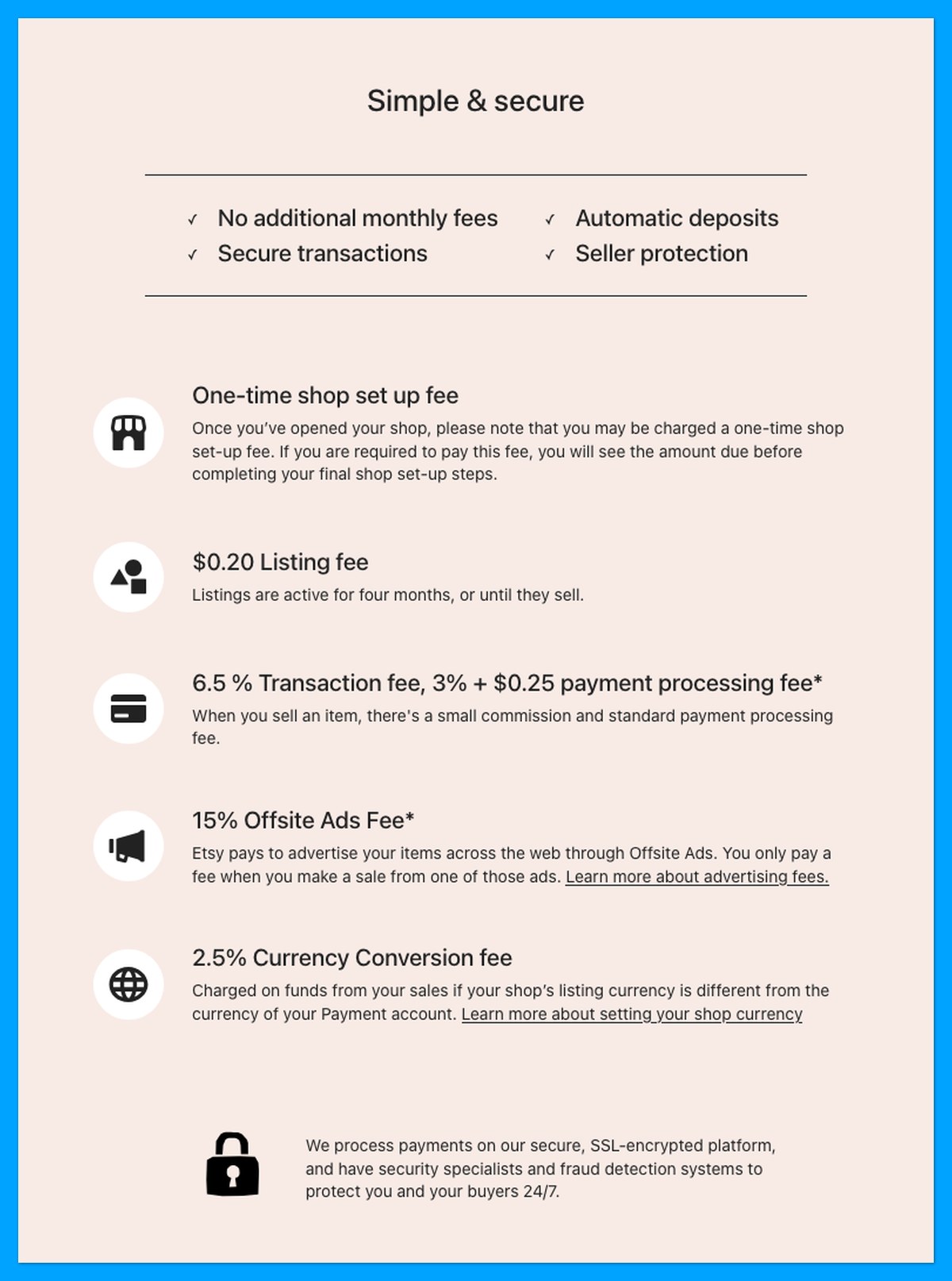
The recurring charges are:
- Listing: $0.20, renewed after four months or each sale from a multi-quantity listing.
- Transaction: 6.5% of the item price plus shipping and gift wrap.
- Etsy Payments: 3% plus $0.25 per order.
That produces $0.45 plus 9.5% per order, or exactly $3.775 on $35. Etsy may also charge a one-time shop set-up fee, shown at registration.
Offsite Ads add 15% to attributed orders below $10,000 in trailing 365-day sales, with an opt-out available. At $10,000 or more, participation becomes mandatory at 12%, with charges capped at $100 per order.
On a $35 attributed sale, that adds $5.25 or $4.20. The tables exclude advertising and the set-up fee.
What a Squarespace Plan Costs Before You Sell Anything
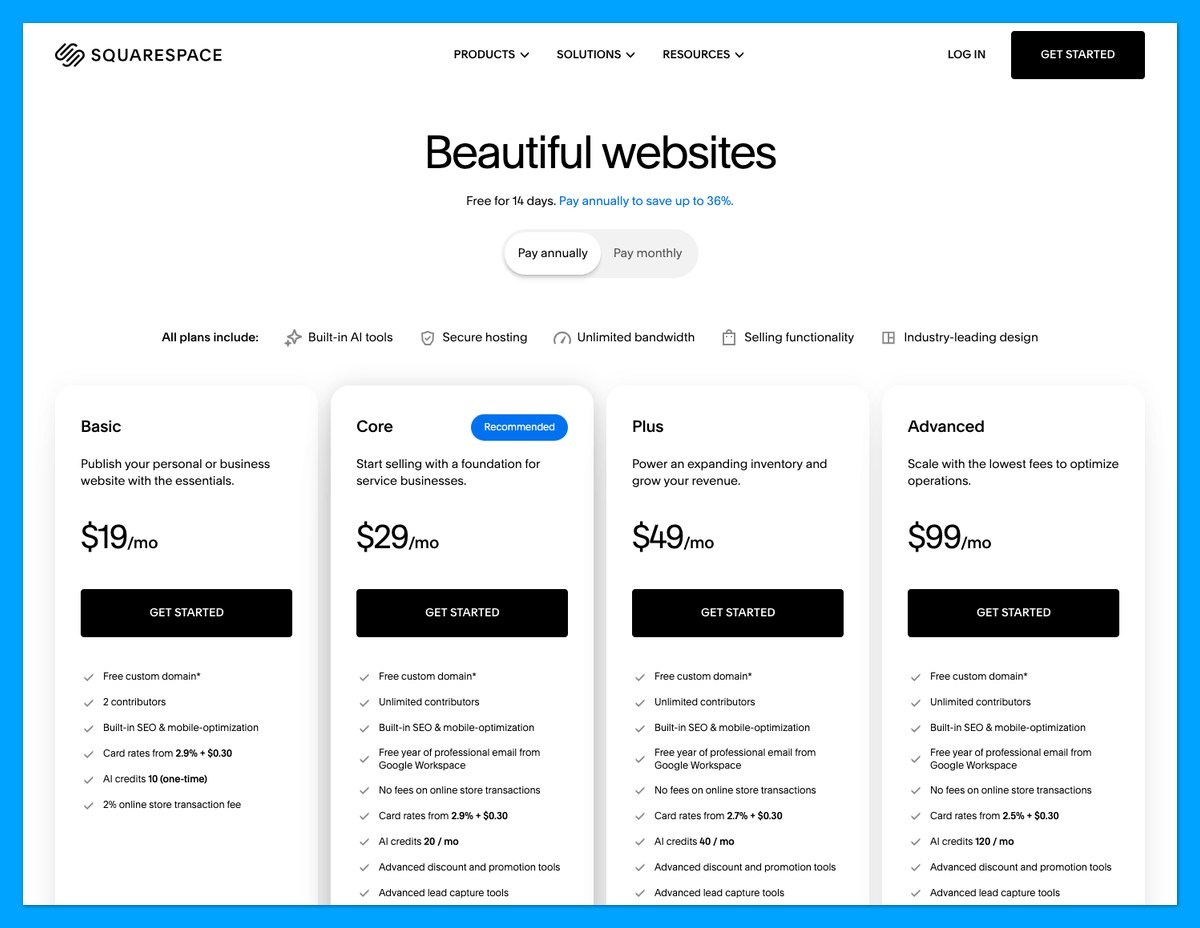
Squarespace charges its subscription even when no one buys. Your fee savings must recover this fixed monthly cost.
| Plan | Monthly billing | Annual billing, per month | Store fee | Standard card processing |
|---|---|---|---|---|
| Basic | $25 | $19 | 2% | 2.9% + $0.30 |
| Core | $39 | $29 | 0% | 2.9% + $0.30 |
| Plus | $65 | $49 | 0% | 2.7% + $0.30 |
| Advanced | $139 | $99 | 0% | 2.5% + $0.30 |
American Express and some business cards cost 3.2% plus $0.30 on every plan. International cards add 1.5%; currency conversion costs 1.0%.
Basic’s store fee sits on top of processing, making its standard per-order cost 4.9% plus $0.30.
Squarespace offers a 14-day free trial, with no credit card required, but no free plan. Annual subscriptions include a free custom domain for one year; email marketing and bookings require separate subscriptions.
Break-Even Orders by Order Size
At a $35 order value, Core covers its subscription through fee savings at 16 monthly orders, or 12 with annual billing.
Each cell shows monthly-billing orders / annual-billing orders, with corresponding monthly revenue in parentheses. These are whole-order thresholds: the point where the accumulated fee savings cover the subscription.
| Order value | Basic | Core | Plus | Advanced |
|---|---|---|---|---|
| $20 | 24 ($480) / 18 ($360) | 27 ($540) / 20 ($400) | 44 ($880) / 33 ($660) | 90 ($1,800) / 64 ($1,280) |
| $35 | 15 ($525) / 11 ($385) | 16 ($560) / 12 ($420) | 26 ($910) / 20 ($700) | 54 ($1,890) / 39 ($1,365) |
| $60 | 9 ($540) / 7 ($420) | 10 ($600) / 8 ($480) | 16 ($960) / 12 ($720) | 32 ($1,920) / 23 ($1,380) |
| $120 | 5 ($600) / 4 ($480) | 5 ($600) / 4 ($480) | 8 ($960) / 6 ($720) | 17 ($2,040) / 12 ($1,440) |
Basic or Core breaks even at $360 to $600 in monthly own-site sales across these order sizes. Advanced requires $1,280 to $2,040, and covering its subscription does not make it the cheapest plan.
A $120 ceramics order recovers the fixed subscription faster than a $20 print order because the percentage-fee savings are larger. Use your average order value, including shipping, rather than your cheapest product’s price.
Three Monthly Snapshots and When to Move Up a Plan
At 40 orders of $35, Core costs $91.60 monthly versus Etsy’s $151.00. Buying Advanced instead would cost more than staying on Etsy at that volume.
These totals include processing and the website subscription, using monthly billing.
| Monthly orders | Revenue | Etsy | Basic | Core | Plus | Advanced |
|---|---|---|---|---|---|---|
| 40 × $35 | $1,400 | $151.00 | $105.60 | $91.60 | $114.80 | $186.00 |
| 100 × $35 | $3,500 | $377.50 | $226.50 | $170.50 | $189.50 | $256.50 |
| 150 × $60 | $9,000 | $922.50 | $511.00 | $345.00 | $353.00 | $409.00 |
With annual billing, Core’s corresponding monthly totals are $81.60, $160.50, and $335.00.
Upgrade according to your own-site revenue, not combined Etsy and website sales:
- Core beats Basic above $700 monthly, or $500 with annual billing.
- Plus beats Core above $13,000 monthly, or $10,000 with annual billing.
- Advanced beats Plus above $37,000 monthly, or $25,000 with annual billing.
These thresholds compare standard processing and store fees. Membership fees or a required feature can change the choice.
Core is the lowest-cost option in all three snapshots, even at $9,000 in sales. A lower card rate alone does not justify a higher subscription.
Break-even counts fees only: Squarespace has no marketplace, so you must bring the traffic that produces these orders. Email or advertising costs extra, and losing Etsy-generated sales can outweigh the fee reduction.
What You Give Up When You Step Off the Marketplace
Etsy reported 87.5 million active buyers and 5.8 million active sellers in Q3 2026. That is access to an existing shopping audience, not a promise that those shoppers will see your listings.
A Squarespace site starts with zero visitors. If Etsy search currently sells your earrings, rebuilding the same listings on a new domain does not replace that search traffic.
Leaving also means giving up marketplace advantages that do not appear in the fee calculation:
- Familiar checkout: Etsy shoppers already recognize the venue. Your independent store must establish its own credibility.
- Reviews and star ratings: Your Etsy review count stays on Etsy. Do not budget as though that history transfers.
- Favorites: A shopper who saved your Etsy listing has not subscribed to your website newsletter.
- Etsy promotion: Offsite Ads can bring attributed orders without an upfront advertising bill, although the sale triggers a fee.
For the first months, plan around the audience you can actually reach. If your only launch announcement is an Instagram post, the new site is relying on people who see that post and choose to visit. Publishing a journal or optimizing a product page does not supply immediate replacement demand.
Keep bestsellers available while you learn which channels produce website orders. For a candle maker, that might mean retaining proven scents on Etsy while introducing a gift bundle to newsletter subscribers on the new site.
Do not treat Etsy buyer messages as a shortcut. Etsy prohibits encouraging buyers to purchase through another venue, including using QR codes to send them off-platform.
Keeping an Etsy shop is defensible when its discovery generates profitable orders you would otherwise miss. Compare the fee with the value of that customer acquisition, not just with Squarespace’s card charge.
The same distinction appears in Shopify vs Etsy. Our Amazon Handmade vs Etsy comparison examines another marketplace route if your immediate need is shoppers rather than a standalone brand site.
A Traffic Plan That Replaces Etsy Search
Search Traffic From Product Pages and a Journal
Write for a shopper’s search, not a string of Etsy tags. Squarespace includes SEO tools and search keyword analysis on every plan; Core and higher add Google Shopping through Merchant Center.
For a ceramics store, give each page a distinct job:
- Product pages: Describe the mug’s material, dimensions, finish, and intended use.
- Collection pages: Group related pieces so shoppers can find matching products.
- Journal posts: Explain care or show how a collection is made, linking to relevant items.
Our ecommerce SEO guide covers search structure. Use the product description writing guide to turn specifications into buying information instead of repeated keywords.
Search traffic builds over months, so keep Etsy running while these pages develop an audience. Judge the new site by orders and useful search visits, not merely by how many journal posts you publish.
Email: The List Etsy Never Gave You
Collect permission to email before you need a launch-day audience. Every Squarespace plan includes newsletter blocks, a Contacts panel, and abandoned cart recovery. Core adds promotional pop-ups and Mailchimp integration.
A buyer’s email address is not blanket permission for promotional messages. Give visitors a clear signup and explain what they will receive.
Squarespace Email Campaigns is a separate subscription priced by monthly sends:
- Capacity: Tiers run from 500 to 500,000 sends per month, with unlimited contacts.
- Counting: One email to one recipient equals one send; automated emails count too.
- Lowest tier: The 500-send plan retains the “Powered by Squarespace” footer.
- Preparation: Mailing lists and drafts are free to build without a subscription.
Reaching the send limit stops further sending until the next usage period. The plan picker sits on Squarespace’s Email Campaigns page.
Use ecommerce email marketing to plan welcome messages and collection launches before paying for capacity you will not use.
Instagram and Facebook Product Tags
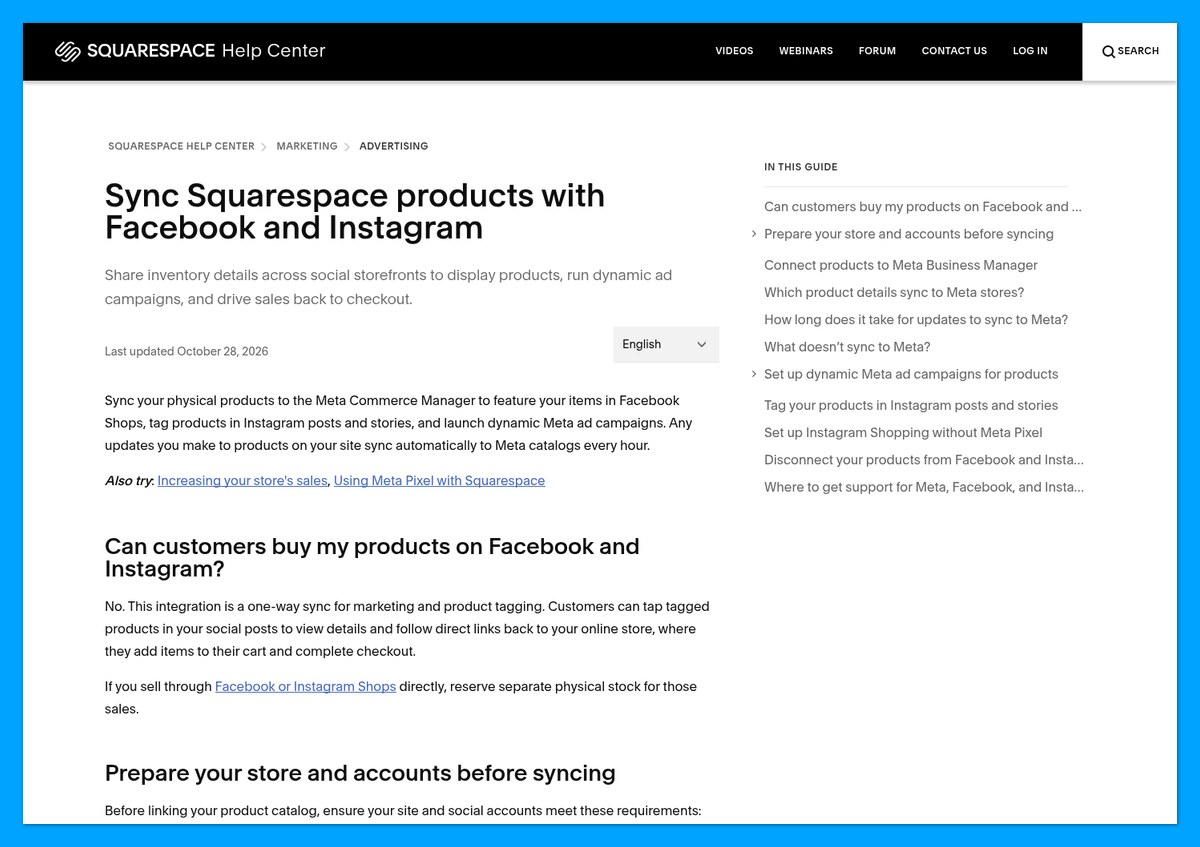
Send shoppers from a tagged mug or print directly to its product page. Squarespace syncs physical products to Meta hourly, allowing tags in Instagram posts and stories.
Shoppers visit your website to pay; checkout does not happen inside Instagram or Facebook through this integration.
Prepare the connection requirements:
- Product information: A title, description, and primary image at least 500px × 500px.
- Website: An official site title and no site-wide password.
- Instagram: A Business account in an eligible region.
- Meta setup: Business Manager, a Facebook Page, Meta Pixel, and an ad account, which can be created during setup.
Instagram’s store review usually takes 24 to 48 hours after connection. Catalog sync is available on all plans; Meta Pixel and dynamic ads require Core or higher.
Our Instagram selling guide covers the channel. For visual products such as prints or ceramics, add a Pinterest selling plan, with links to relevant products rather than your homepage.
Your Etsy Shop as a Feeder
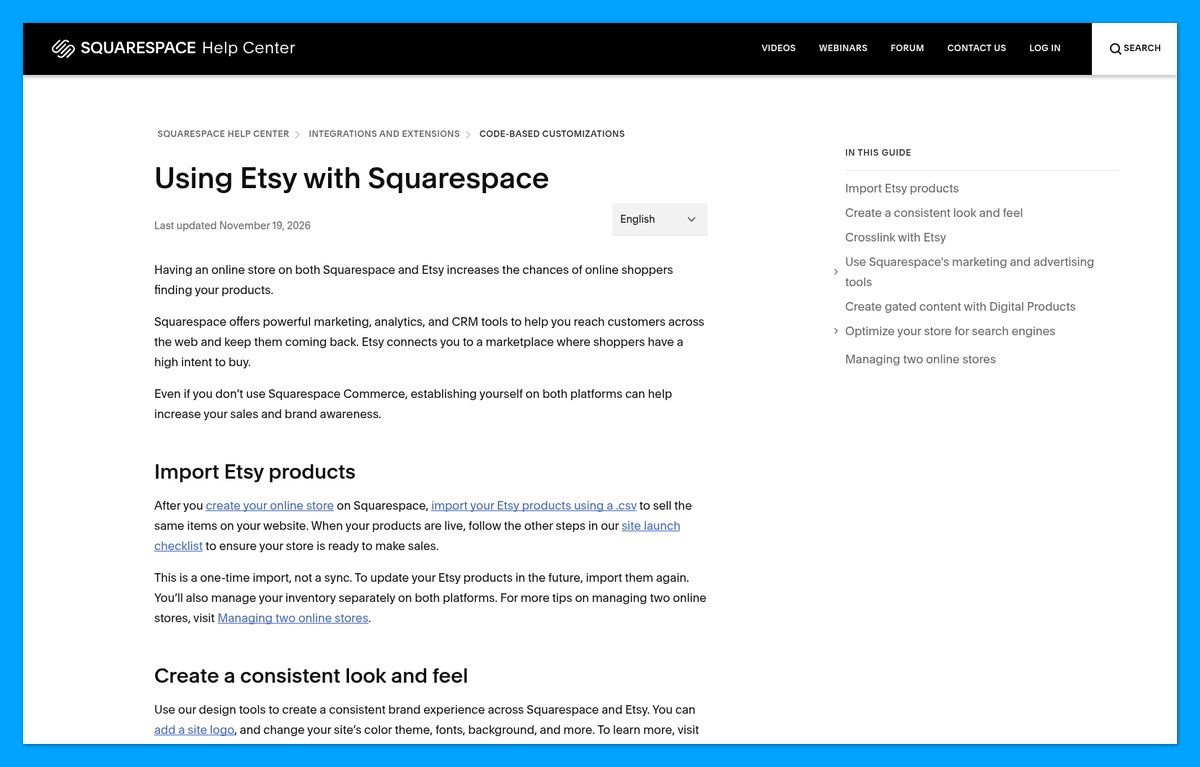
Use Etsy’s permitted profile link to make your brand discoverable, not to redirect an Etsy transaction. A profile link differs from asking someone discussing a listing to pay elsewhere.
Do:
- Add your site to Etsy’s “Around the web” profile section.
- Link your Etsy shop from your website navigation.
- Keep proven bestsellers on Etsy for marketplace discovery.
- Develop site-only offers such as commissions, bundles, or memberships on Squarespace.
Don’t:
- Message Etsy buyers asking them to purchase through your website.
- Put QR codes in Etsy parcels to send buyers off Etsy.
- Turn a customer-service conversation into an off-platform sales pitch.
Give each catalog a clear purpose. Etsy can carry the prints that introduce strangers to your work, while your site houses a broader collection for people who already follow you.
What Your Own Site Lets You Sell and Keep
A Squarespace site puts your domain and your checkout together, with control over the design surrounding your products. For a maker selling a recognizable collection rather than isolated listings, that lets you connect product pages with the story behind your work.
Every buyer’s email appears in your Contacts panel, and customer accounts are available on all plans. Build direct relationships while keeping promotional consent separate from order communications.
The commercial differences are specific:
- Store fees: No Etsy-style 6.5% transaction cut; Basic charges 2%, while Core and higher charge no store transaction fee. Processing still applies.
- Offers: Discounts require Core or higher. Weekly or monthly subscriptions work on every plan.
- Digital content: Courses and memberships carry fees of 7% on Basic, 5% on Core, 1% on Plus, and 0% on Advanced.
- Services: Service products and invoices are available, with no invoice fee.
- Other checkout routes: Gift cards and US Squarespace POS are available on all plans; POS uses the Squarespace app with Square.
Download products are store products, not membership content. A downloadable sewing pattern therefore incurs Basic’s 2% store fee, not its 7% digital-content fee. Our guide to selling digital products can help you distinguish a file sale from an ongoing paid offering.
| Item type | Etsy | Squarespace |
|---|---|---|
| Physical prints or mugs | Marketplace discovery; listing and sale fees | Own-site traffic; plan and processing costs |
| Downloadable patterns | Listing-based sale | Store product fee structure |
| Courses or memberships | No course or membership feature | Available on all plans; content fees vary |
| Print-on-demand products | Printful or Printify connection | Printful on every plan |
For appointments, Acuity Scheduling is a separate subscription, embedded through a Scheduling block:
- Starter: $16 per month billed annually, or $20 billed monthly.
- Standard: $27 per month billed annually, or $34 billed monthly.
- Premium: $55 per month billed annually, or $69 billed monthly.
Squarespace charges no transaction fee on Acuity appointment payments, although the payment processor still charges. Include that subscription when deciding whether paid pottery lessons justify the site.
For merchandise, Printful connects to any Squarespace plan. Etsy can connect with Printful or Printify, so print on demand alone is not a reason to leave. Compare fulfillment choices in our print-on-demand provider guide.
Choose the website because you need the direct customer relationship or a different offer, not because a familiar production integration appears on its feature list. Price a membership separately from a mug shop: its content fee can change which Squarespace plan makes financial sense.
Moving Your Etsy Listings to Squarespace
Move a small, reviewable catalog before changing where you send customers. The current route is CSV import, not a live Etsy connection, and product importing is available on all four Squarespace plans.
- Download your active Etsy listings. Open Shop Manager > Settings > Options > Download Data > Download CSV. The file covers active listings and contains title, description, price, currency code, quantity, tags, materials, image URLs, and SKU if added.
- Get Squarespace’s template. Open Products panel > Import > Download CSV template. Use this structure rather than uploading the Etsy export unchanged, and keep the original file as your reference.
- Copy the matching columns. Paste image links into Hosted Image URLs, using images only on the first product row, and set Visible to No so you can review products before customers see them. Set the Product URL slug deliberately instead of carrying over an unwieldy title.
- Rebuild variations manually. Etsy’s listing CSV does not include variations; Squarespace allows 250 variants per product and up to 10,000 products on a version 7.1 site. Recreate the relevant combinations for a print’s size or a mug’s glaze.
- Import and review each listing. Check photos and descriptions, then add variant images manually; Squarespace hosts the files supplied through Hosted Image URLs. Rewrite Etsy-specific directions and check the product presentation before making the listing visible.
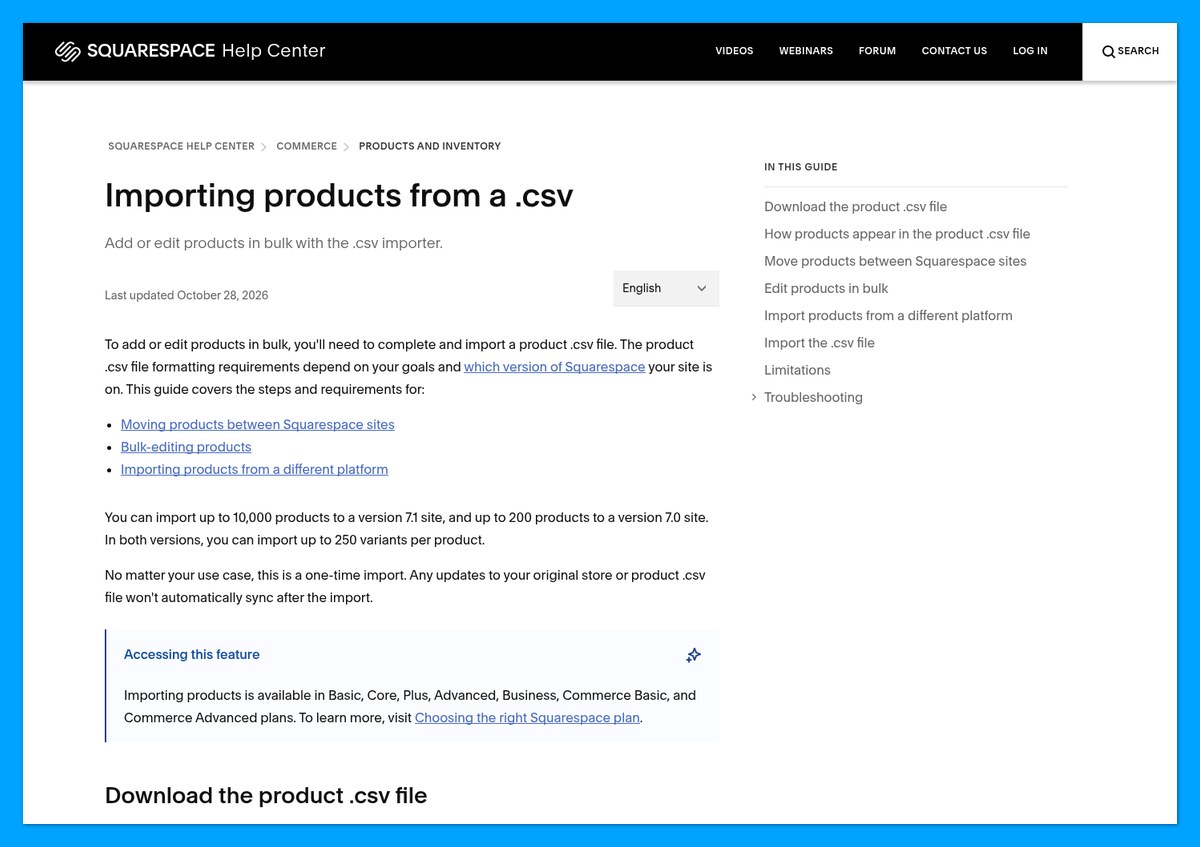
This is a one-time copy, not inventory sync. When a one-of-a-kind ceramic bowl sells on Etsy, adjust Squarespace stock yourself, and do the reverse for website sales. A third-party inventory extension is another route, but the CSV import itself does not coordinate stock.
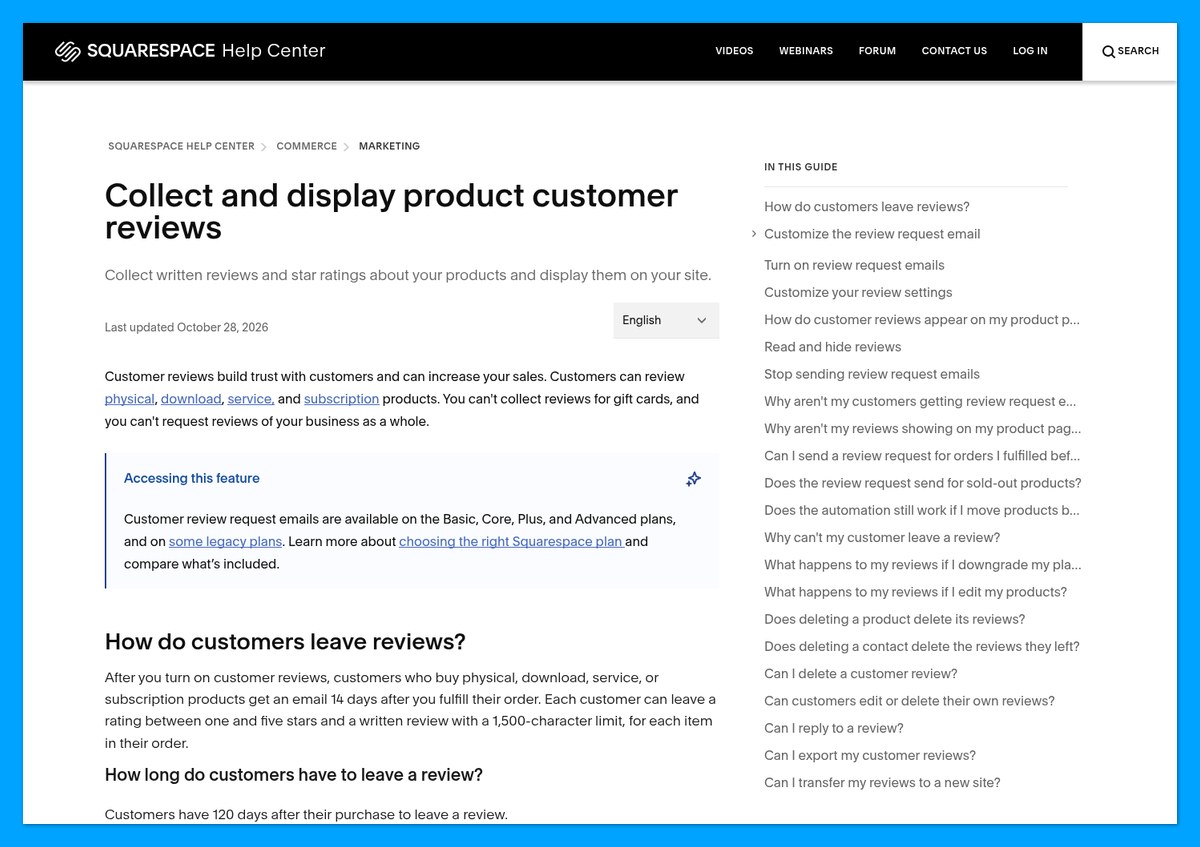
Your Etsy reviews do not travel with the CSV. Squarespace’s older direct Etsy importer help page no longer loads, and its reviews guide only mentions Etsy reviews “previously imported”. Start collecting fresh reviews through Squarespace’s review requests, available on all plans. Customers receive the request 14 days after fulfillment and have 120 days after purchase to respond. Reviews support 1 to 5 stars and up to 1,500 characters.
Etsy listing URLs also stay on Etsy and cannot be redirected. Version 7.1 Squarespace product URLs contain
/p/
before the slug. Update links you control, especially your social bio and newsletter, rather than expecting old Etsy links to change destinations.
If you are still comparing smaller standalone-store options, Big Cartel vs Etsy provides another route to evaluate before rebuilding the catalog.
Who Controls Your Photos and Designs: AI Terms on Both
Etsy’s Revised Section 5.C
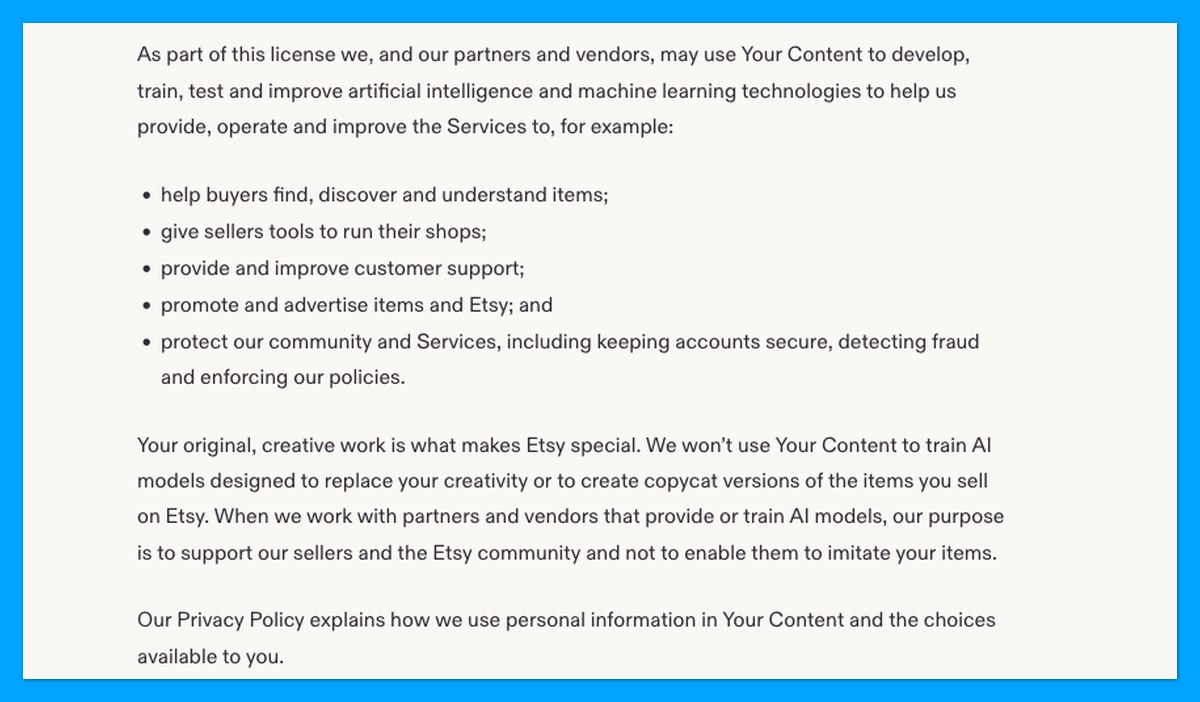
Etsy’s revised language still permits AI training, but now includes an explicit no-copycat commitment. The revision was published November 23, 2026, and takes effect December 16, 2026.
Section 5.C begins its AI sentence: “As part of this license we, and our partners and vendors, may use Your Content to develop, train, test and improve artificial intelligence and machine learning technologies to help us provide, operate and improve the Services”.
The examples include:
- Helping buyers discover and understand items.
- Giving sellers tools to run their shops.
- Providing customer support.
- Promoting items and Etsy.
- Protecting the community and Services.
These examples are not exhaustive.
The new commitment says: “We won’t use Your Content to train AI models designed to replace your creativity or to create copycat versions of the items you sell on Etsy.”
That limits the stated purpose; it does not remove permission to train AI. The underlying license remains perpetual and irrevocable, so closing a shop may not end it.
There is no general AI-training opt-out for US sellers in the Terms. The earlier opt-out reference was replaced with personal-information choices in the Privacy Policy.
In her November 23 post, CEO Kruti Patel Goyal wrote: “I acknowledge that we should’ve given you more context on what the updates meant for your creative content when we shared them.”
Squarespace’s Licence, AI Terms and Crawler Switch
Squarespace’s standard content license is also broad. Section 2.2 grants “a non-exclusive, worldwide, perpetual, irrevocable, royalty-free, sublicensable, transferable right and license” for the “limited purposes of allowing us to provide, improve, promote and protect the Services.”
There is no AI wording in section 2.2. That does not make Squarespace’s separate AI terms irrelevant when you use its AI features.
Under AI Terms section 6, your Input may go to third-party AI providers, which Squarespace names as OpenAI, Anthropic and Google. You grant a perpetual, irrevocable license to transmit Input to them “for such AI Software Service Provider to use in accordance with its terms and policies”.
This provision applies when you use Squarespace AI features, rather than simply because you host a product photograph.
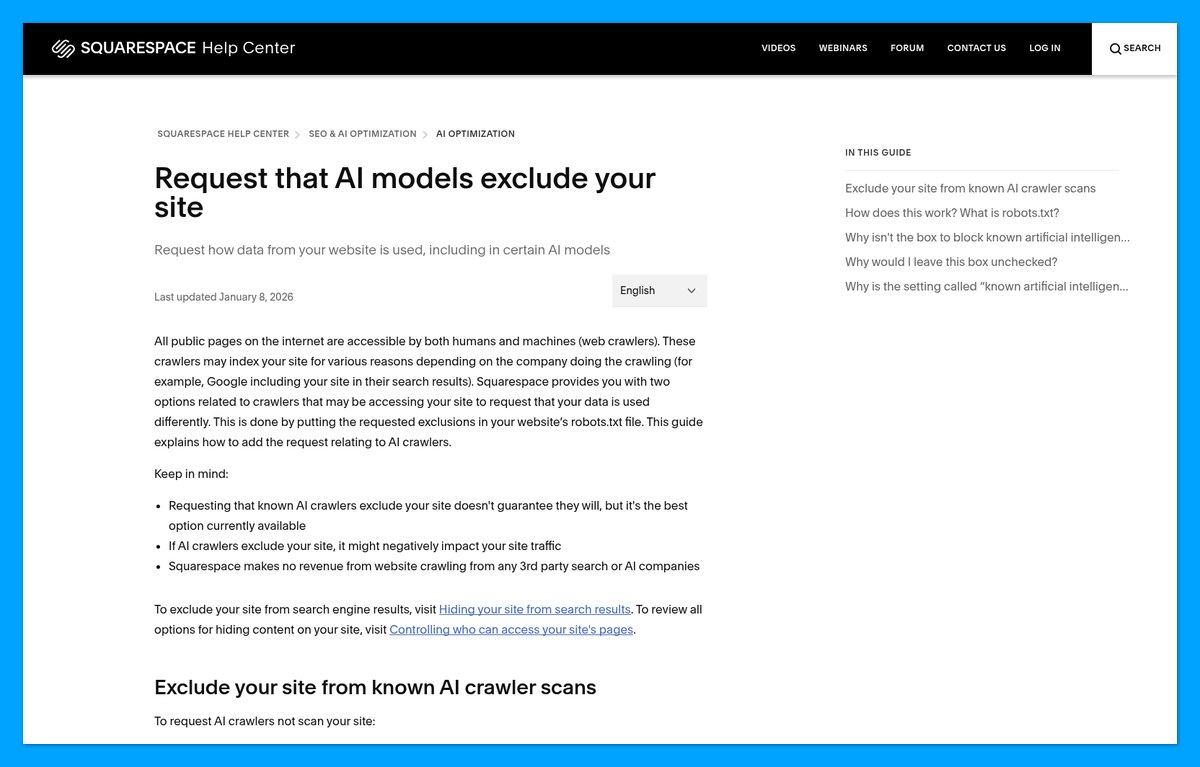
You can separately request that known AI crawlers stay away:
- Open the Settings panel.
- Select Crawlers.
- Check “Block known artificial intelligence crawlers”.
The setting adds 26 known AI bots to robots.txt. It is off by default because Squarespace says it does not want to cut traffic from AI answers.
Blocking is a request, not a guarantee. It cannot be applied only to selected pages and does not undo earlier scraping.
Moving a portfolio to Squarespace changes the platform terms and gives you a crawler control, but it does not prevent collection of publicly displayed designs.
Run Both or Switch: A Stage-by-Stage Verdict
Stage 1: Stay on Etsy if fewer than 15 monthly orders come from people who already know you. Refine that starting rule with the order-value table: a seller moving $120 ceramics needs fewer orders than someone selling $20 prints. Start or maintain your Etsy shop and build a permission-based email list through an Instagram link-in-bio or newsletter signup, rather than buying a website solely because your fee statement looks painful.
Stage 2: Above $500 in monthly own-audience sales, add Squarespace Core on annual billing and run both. Its $29 monthly equivalent removes the store transaction fee and includes discounts; in the worked example, 30 Etsy orders plus 20 website orders at $35 cost $168.55 versus $188.75 for all 50 through Etsy. That saves $20.20 before email or ads, with 20 direct customer relationships as the bigger gain, so use the Squarespace trial to prepare your catalog and signup path without committing to an elaborate marketing setup.
Stage 3: When most revenue comes from your channels, make Squarespace the main shop. Send newsletter and social traffic there, keeping a trimmed Etsy catalog of bestsellers if it still brings profitable discovery orders or closing it if those sales no longer justify separate stock management. Before removing listings, review your traffic sources and remember that closing the shop may not end the content license; our Etsy alternatives guide and places to sell art online offer other routes if your work needs a different audience.
If multiple sales channels needing synced inventory, wholesale, or a large catalog outgrow this setup, consider Shopify as the bigger-store option. Read Shopify vs Squarespace before committing to that operational change, and Wix vs Squarespace if the website builder itself remains undecided.
Next action: Separate last month’s Etsy orders into marketplace discovery and your own audience, then compare the own-audience total with the break-even table.